
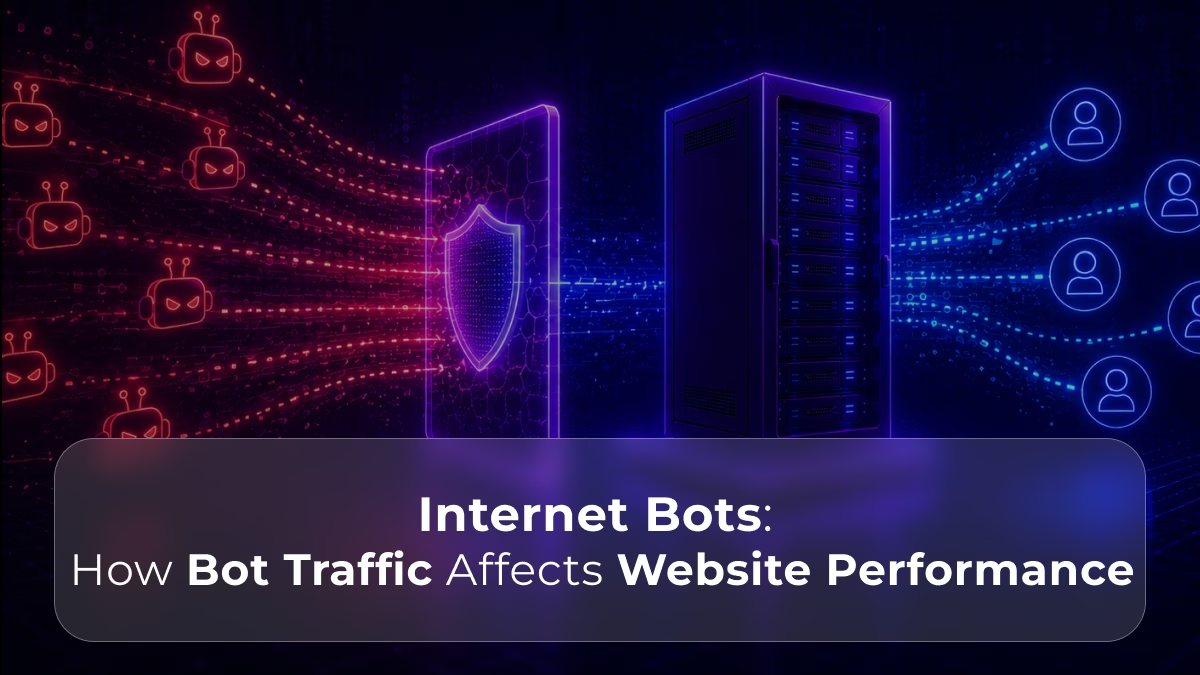
Not all traffic to a website comes from human visitors. A significant proportion, in many cases the majority, comes from internet bots: automated programs that traverse the web performing specific tasks without human interaction. Some of these bots are beneficial and necessary. Others consume server resources, distort analytics, and degrade the experience of legitimate users.
Understanding internet bots, what they are, what they do, and how they affect website performance, is essential for anyone managing a web server. Bot traffic does not announce itself. It arrives looking like any other HTTP request, consumes the same server resources as a human visit, and only reveals its nature through patterns in access logs and the resource consumption it generates over time.
This guide explains what internet bots are, how different bot types affect server performance, how to identify bot traffic on your server, and what infrastructure choices determine how well a server handles bot load.
📖 How do DDoS attacks differ from bot traffic?
Bot traffic and DDoS attacks are related but distinct threats. Read What Is a DDoS Attack and How Does It Affect Your Website?, a complete breakdown of how volumetric DDoS attacks differ from the sustained resource drain of bot traffic.
What Internet Bots Are
An internet bot is a software application that runs automated tasks over the internet. Bots operate much faster than human users, they can send thousands of requests per minute, navigate pages without rendering them visually, and execute tasks continuously without rest.
Bots account for a substantial proportion of all internet traffic. Estimates from major web security providers consistently place bot traffic at 40 to 50% of all HTTP requests globally, meaning that for every human visitor to the average website, there is approximately one automated request from a bot.
Not all of this bot traffic is harmful. The internet depends on beneficial bots to function: search engine crawlers index content so it appears in search results, monitoring bots check site availability, and feed aggregators distribute content. However, a significant proportion of bot traffic comes from automated tools with purposes that range from commercially inconvenient to actively malicious.
The Spectrum of Internet Bots
Understanding the full spectrum of bot types clarifies which ones affect performance, which affect security, and which are necessary to allow.
Beneficial Bots
Search engine crawlers – Googlebot, Bingbot, and equivalents from other search engines crawl web pages to index their content. Without these bots, search engines cannot discover or rank a site’s content, blocking them prevents the site from appearing in search results entirely.
Monitoring and uptime bots – tools like UptimeRobot and Pingdom send requests at regular intervals to verify that a site is accessible. These bots generate a small number of requests and serve a clear operational purpose.
Legitimate aggregators and API consumers – RSS feed readers, price comparison services, and data aggregation platforms that operate within reasonable rate limits and respect robots.txt directives.
Nuisance Bots
Content scrapers – automated tools that copy website content, product listings, pricing data, or other information at scale. Scrapers do not cause harm through a single visit but generate significant aggregate load through continuous, high-frequency crawling. A scraper visiting every page of a large e-commerce site repeatedly can generate more requests than the site’s legitimate human traffic.
SEO crawlers – third-party SEO analysis tools (Ahrefs, SEMrush, Majestic, and many others) crawl websites to build their index of the web. These tools serve legitimate purposes for their users but generate substantial crawl traffic — sometimes significantly more than search engine crawlers, and the aggregate load from many different SEO tools simultaneously can be meaningful.
Feed fetchers and link checkers – automated tools that repeatedly fetch RSS feeds, check link validity, or monitor content changes. Individually low-impact, but in aggregate across many such tools, they contribute to the background bot load on any publicly accessible site.
Malicious Bots
Credential stuffing bots – automated tools that use lists of compromised username and password combinations to attempt login at high velocity. Each attempt is an HTTP request that the server must process, authenticate against, and respond to. High-volume credential stuffing attacks can generate thousands of login attempts per minute, consuming significant server CPU and database resources.
Vulnerability scanners – automated tools that probe web applications for known vulnerabilities: SQL injection points, outdated software versions, exposed admin panels, and misconfigured endpoints. These scanners generate continuous requests to a wide range of URLs, many of which do not exist, producing 404 errors and log volume that can obscure genuine security events.
Spam bots – bots that submit contact forms, comment fields, and registration forms with spam content. Each submission triggers form validation, email sending, and database writes, resource-consuming operations that spam bots can trigger at high frequency.
DDoS bots – coordinated networks of bots (botnets) that flood a server with requests to exhaust its capacity and make it unavailable to legitimate users. Unlike the other bot types listed above, DDoS bots aim for service disruption rather than data extraction or account compromise.
📖 How does a WAF protect against malicious bot traffic?
Web Application Firewalls detect and block malicious bot patterns before they reach the application. Read What Is a Web Application Firewall (WAF)?, covering how WAFs identify bot signatures, rate limit automated traffic, and protect login endpoints from credential stuffing.
How Internet Bots Affect Server Performance
Bot traffic affects server performance through the same mechanism as human traffic: HTTP requests that consume CPU, memory, storage I/O, and network bandwidth, but with characteristics that make the impact distinct from human traffic.
CPU Consumption
Every HTTP request the server receives requires CPU to process: parse the request, execute application logic, query the database, and assemble the response. Bots generate requests at a rate that human users cannot match, a content scraper can send hundreds of requests per minute from a single IP address, consuming the same CPU per request as a human visitor but at a rate no human could sustain.
For dynamic web applications that execute database queries and application logic on every request, bot traffic that generates many such requests simultaneously competes directly with legitimate human traffic for CPU. When bot traffic is high enough relative to server capacity, human visitors experience slower response times, not because the server is failing, but because it is serving bot requests instead of their requests.
Memory Pressure
Each concurrent HTTP connection consumes server memory, for the web server worker process handling the connection, the application state associated with the request, and any database query results held in memory during processing. A large number of simultaneous bot connections increases the concurrent connection count, which increases aggregate memory consumption.
On servers with limited RAM or on shared hosting with per-account memory caps, sustained high bot traffic can push memory consumption toward limits, triggering swap usage that degrades performance for all users, or triggering provider throttling that caps available resources.
Database Load
Dynamic web applications generate database queries for most or all page requests. Bots that crawl dynamic content generate the same database load as human visitors, but at higher frequency and often targeting content that human visitors rarely access, such as old archive pages, tag pages, or search result permutations.
Search bots crawling a large WordPress site systematically generate thousands of database queries against posts, categories, tags, and metadata, queries that the database must execute regardless of whether the result serves a human user or a bot. Without database query caching, this bot-generated database load competes with human traffic for database capacity.
Bandwidth Consumption
Bots consume network bandwidth proportionally to the size of the responses they receive. A scraper downloading full page HTML, including all assets, consumes the same bandwidth per page as a human visitor, but across thousands of pages per hour rather than a few per session. For servers on metered bandwidth plans, bot traffic inflates transfer volumes. For servers with bandwidth caps, bot traffic can exhaust allowances before the end of the billing period.
How Bot Traffic Distorts Analytics and Business Decisions
Beyond direct server resource consumption, bot traffic corrupts the data on which business decisions depend.
Inflated page view counts – scrapers and crawlers inflate raw page view metrics, making traffic appear higher than the genuine human audience. Decisions based on inflated metrics, advertising spend, content investment, infrastructure provisioning, may be systematically miscalibrated.
Session and bounce rate distortion – bots that do not execute JavaScript do not appear in Google Analytics sessions, but bots that do execute JavaScript inflate session counts and distort bounce rates, average session duration, and page depth metrics.
Conversion rate depression – if bot traffic inflates the denominator of conversion rate calculations (total visits) without contributing to conversions, the measured conversion rate understates the actual rate at which human visitors convert. Teams optimising for conversion rate improvements may be chasing a metric partially determined by bot traffic volume rather than genuine conversion behaviour.
Search Console impression inflation – some bot traffic triggers search-related requests that inflate Google Search Console impression counts, making organic search performance appear higher than it is.
Identifying Bot Traffic on Your Server
Distinguishing bot traffic from human traffic in server logs enables both accurate analytics and targeted protection.
Access log analysis – web server access logs record every HTTP request, including the User-Agent string the client sends. Bots frequently identify themselves through their User-Agent: Googlebot, AhrefsBot, SemrushBot, though malicious bots may spoof legitimate User-Agent strings or use generic browser User-Agents to avoid detection.
Request pattern analysis – human browsing patterns show variable timing between requests, diverse page sequences, and normal session characteristics. Bot traffic shows regular timing intervals, systematic URL sequences (crawling every page in order), and request rates that no human could sustain manually.
IP address and ASN analysis – bot traffic frequently originates from data centre IP ranges, cloud provider IP blocks, and known hosting provider ASNs rather than residential or business ISP IP ranges. Analysing the distribution of source IP addresses reveals whether traffic is coming from geographic and network sources consistent with a genuine human audience.
404 and non-existent URL requests – vulnerability scanners and poorly configured crawlers generate large volumes of requests for URLs that do not exist on the site. A high rate of 404 responses in access logs indicates automated scanning activity rather than human navigation.
📖 What monitoring tools help identify bot traffic patterns?
Identifying bot traffic requires the right monitoring stack. Read Best Tools to Monitor Dedicated Server Performance, covering log analysis, traffic monitoring, and the tools that make bot traffic patterns visible in server metrics.
How Infrastructure Determines Bot Traffic Resilience
The same bot traffic load produces different outcomes on different infrastructure, the server’s hardware specification and architecture determine how much bot traffic it can absorb before legitimate user performance degrades.
Shared Hosting Vulnerability
On shared hosting, bot traffic affects all tenants on the shared server simultaneously. A scraper targeting one site on the server generates CPU and memory load that reduces available resources for all other accounts. Additionally, shared hosting connection limits, imposed to prevent any single account from monopolising shared resources — can be reached more quickly when bot traffic adds to human traffic, causing legitimate requests to be rejected or queued.
Dedicated Server Resilience
A dedicated server’s resources serve only one workload. Bot traffic that consumes 30% of the server’s CPU leaves 70% for legitimate human traffic, the bot load does not consume resources belonging to other tenants because there are no other tenants. This resource exclusivity means bot traffic has a predictable, manageable impact rather than a compounding shared-resource effect.
Additionally, dedicated servers allow implementing bot mitigation at the infrastructure level: firewall rules that block known bad IP ranges, rate limiting that throttles excessive request rates from single sources, and fail2ban configurations that automatically block IPs generating suspicious request patterns.
Caching as Bot Traffic Mitigation
Effective caching reduces the resource cost of each bot request. When a reverse proxy cache serves cached HTML responses to bot requests, the origin server executes no application logic and no database queries, the cached response serves from memory in microseconds rather than triggering a full application execution cycle.
For content-heavy sites with effective full-page caching, the aggregate server resource cost of bot traffic can be dramatically lower than for uncached dynamic sites, because most bot requests hit the cache rather than the origin application.
Dedicated servers built to handle bot traffic without degrading
Swify dedicated servers give your workload exclusive CPU, RAM, and network resources, so bot traffic consumes your capacity, not your neighbours’, and leaves genuine headroom for the human visitors who actually matter.
→ Explore Swify Dedicated ServersFrequently Asked Questions
What percentage of website traffic is bots?
Estimates from major web security providers consistently place bot traffic at 40 to 50% of all global HTTP requests, meaning that roughly half of all internet traffic comes from automated programs rather than human users. The proportion varies significantly by site type: e-commerce sites with valuable pricing data attract more scraper bots, financial platforms attract more credential stuffing bots, and high-profile content sites attract more vulnerability scanners.
Not all of this bot traffic is harmful, search engine crawlers, monitoring tools, and legitimate aggregators account for a significant proportion. Malicious bot traffic: scrapers, credential stuffers, vulnerability scanners, and DDoS bots, represents a subset of total bot traffic but a subset that grows as a site’s commercial value increases. Monitoring access logs and analysing traffic patterns reveals what proportion of your specific site’s traffic comes from bots and which categories dominate. Read more about monitoring in Best Tools to Monitor Dedicated Server Performance.
Do internet bots affect SEO rankings?
Bot traffic affects SEO indirectly through server performance. When malicious bot traffic consumes server resources and slows response times for all requests, including Googlebot’s crawl requests, it produces higher TTFB for Google’s crawl visits. Google factors server response speed into crawl budget allocation, meaning a slow-responding server receives fewer crawl requests per Googlebot visit, which can delay indexing of new content.
Additionally, Core Web Vitals field data includes real user visits during periods when bot traffic is degrading server performance. If bot-induced server load is causing slow responses for human visitors, those slow visits contribute negatively to LCP field data, which Google uses as a ranking signal. Reducing malicious bot traffic therefore improves both crawl efficiency and Core Web Vitals field data simultaneously. Read more about TTFB and rankings in What Is Time to First Byte (TTFB) and Why It Matters.
How do I block bad bots without blocking Googlebot?
The most reliable approach combines several layers. Robots.txt directives communicate crawling preferences to compliant bots: search engines and legitimate crawlers respect these; malicious bots typically do not. Rate limiting at the web server or firewall level throttles requests from IP addresses that exceed a defined request rate per time window, blocking high-volume scrapers while allowing normal crawl rates from search engines.
IP reputation blocking uses databases of known malicious IP addresses: data centre ranges, known botnet exit nodes, and previously identified bad actors, to block connections before they reach the application. A Web Application Firewall provides bot signature detection that identifies known bad bot User-Agents and behavioural patterns while allowing verified search engine crawlers through. Cloudflare’s bot management and similar services provide turnkey bot filtering with maintained bot signature databases. Read more about WAF configuration in What Is a Web Application Firewall (WAF)?
Can bot traffic crash a server?
Yes, at sufficient volume, bot traffic can exhaust server resources and cause service failures. A DDoS botnet flooding a server with more requests than it can process saturates CPU, fills connection tables, and makes the server unresponsive to legitimate traffic. Even non-DDoS bot traffic: scrapers, credential stuffers, vulnerability scanners, can accumulate to resource-exhausting volumes if many different bot sources target the same server simultaneously.
The threshold at which bot traffic becomes a stability risk depends on the server’s capacity relative to the bot load. A shared hosting account with tight resource limits reaches this threshold much sooner than a dedicated server with ample headroom. Rate limiting, connection limits, and IP blocking reduce bot traffic volume before it reaches the server’s capacity ceiling — keeping the server stable even under sustained bot attack. Read more about server crashes and resource exhaustion in What Happens When a Server Crashes?
Does caching help with bot traffic performance impact?
Yes, significantly. When a reverse proxy cache serves cached HTML responses to bot requests, the origin server executes no application logic and runs no database queries for those requests, the cache delivers the response from memory in microseconds. For content-heavy sites with effective full-page caching, the aggregate server resource cost of bot traffic drops dramatically compared to uncached dynamic sites.
Caching does not reduce the bandwidth bot traffic consumes, cached responses still transfer data, but it eliminates the CPU and database load that makes bot traffic most damaging to server performance. For sites with high bot traffic proportions, implementing full-page caching with Varnish or Nginx is one of the most effective performance improvements available, because it reduces the resource cost per bot request to near zero for cacheable content. Read more about caching architecture in Server Caching Explained: How Caching Layers Affect Dedicated Server Speed.
How does bot traffic affect website analytics?
Bot traffic corrupts analytics data in several ways. Bots that execute JavaScript inflate session counts, distort bounce rates, and skew average session duration. Bots that do not execute JavaScript do not appear in Google Analytics but still consume server resources and inflate raw server-side metrics. The result is a gap between server-side traffic numbers and analytics platform numbers that can mislead capacity planning decisions.
Conversion rate metrics are particularly vulnerable, bot traffic that inflates total visit counts without contributing conversions depresses the measured conversion rate below the true rate at which human visitors convert. Teams optimising for conversion rate improvements may be chasing a metric partially determined by bot traffic volume. Filtering known bot User-Agents in analytics platforms and comparing server-side traffic to analytics traffic helps quantify the bot proportion and correct for its distorting effect. Read more about how server performance affects conversion metrics in How Server Performance Impacts User Experience and Conversions.