
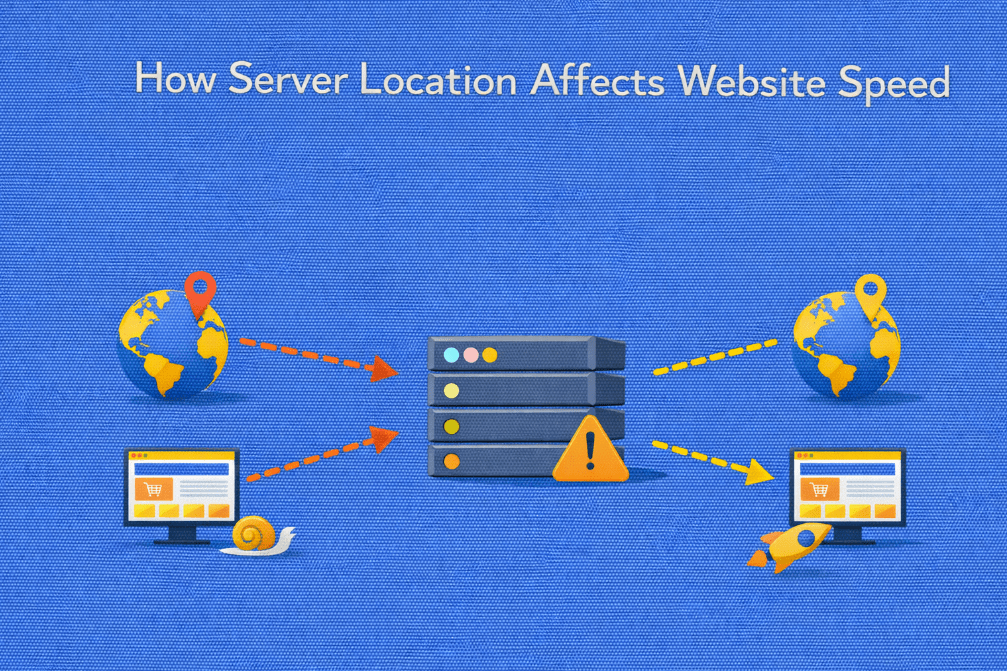
Website performance is often associated with hardware specifications, caching strategies, or application optimization. While these factors are critical, one foundational element is frequently underestimated: server location.
The physical distance between your server and your users directly influences latency, load times, and overall user experience. Even with powerful infrastructure, poor geographic positioning can introduce measurable delays.
In this article, we explore how server location impacts website speed, why it matters for high-traffic environments, and how to make smarter infrastructure decisions.
Understanding the Basics: Distance and Data Travel
When a user visits a website, their browser sends a request to a server. That request must travel across physical network infrastructure, fiber optic cables, routers, and data centers, before reaching its destination.
The response then travels back the same way.
This round trip is measured as latency, typically in milliseconds (ms).
The greater the physical distance between user and server:
- The longer the data takes to travel
- The higher the round-trip time (RTT)
- The slower the initial response feels
Even at near-light speeds, geographic distance introduces unavoidable delay.
What Is Network Latency?
Network latency refers to the time required for data to travel from client to server and back.
It is influenced by:
- Physical distance
- Routing efficiency
- Number of network hops
- Quality of upstream providers
- Congestion along the route
For example:
- A user located 50 km from a server may experience sub-10 ms latency
- A user located 8,000 km away may experience 100–200 ms or more
That difference directly affects page responsiveness.
How Server Location Impacts Website Speed
1. Time to First Byte (TTFB)
One of the most noticeable effects of server distance is on Time to First Byte (TTFB).
TTFB includes:
- DNS resolution
- TCP connection
- TLS handshake (for HTTPS)
- Server processing
- Network round trip
Even if server processing is fast, long network distances increase total TTFB.
Higher latency leads to:
- Slower initial page rendering
- Delayed API responses
- Perceived sluggishness
Want to understand how latency directly impacts Time to First Byte?
Read our in-depth guide on What Is Time to First Byte (TTFB) and Why It Matters to see how infrastructure decisions affect performance metrics.
2. Page Load Time
Modern websites load multiple resources:
- HTML documents
- CSS files
- JavaScript
- Images
- Fonts
- API calls
Each request adds additional round trips.
If latency is high:
- Every request takes longer
- Resource waterfalls become slower
- Total load time increases
For high-interactivity applications, this effect multiplies quickly.
3. User Experience and Bounce Rates
Users expect fast responses. Research consistently shows that even small delays impact behavior.
Higher latency can result in:
- Slower content rendering
- Delayed interaction readiness
- Increased abandonment
- Reduced session duration
Geographic mismatch between server and target audience directly affects engagement.
4. SEO Performance
Search engines consider performance signals when ranking websites.
While server location alone is not a ranking factor, speed-related metrics are.
Higher latency may:
- Increase crawl time
- Reduce crawl efficiency
- Affect Core Web Vitals indirectly
- Lower user engagement signals
For businesses targeting specific regions, hosting closer to the audience can provide measurable SEO advantages.
5. API and Application Performance
Web applications often rely on:
- Backend APIs
- Microservices
- Database queries
- Third-party integrations
In distributed systems, latency compounds across multiple service calls.
If your main audience is in North America but your server is located in Asia:
- Every API request incurs additional delay
- Real-time applications feel less responsive
- Transaction-heavy systems suffer
Low-latency infrastructure is critical for performance-sensitive applications.
The Physics Behind Server Location
Data travels through fiber optic cables at approximately two-thirds the speed of light.
While this sounds fast, consider:
- 1,000 km of distance can add around 5 ms one-way
- 10,000 km can add 50 ms one-way
- Multiply that for round trips
Now consider that modern pages may require dozens of requests.
Latency adds up quickly.
When Server Location Matters Most
Server location has the strongest impact in the following cases:
- High-traffic websites
- Real-time applications
- eCommerce platforms
- SaaS products
- Gaming servers
- Financial services platforms
- Media streaming services
If your audience is geographically concentrated, server proximity becomes a competitive advantage.
Global Audiences: A Different Challenge
What if your users are distributed worldwide?
In this scenario:
- A single server location may not be optimal
- Some users will inevitably experience higher latency
Solutions include:
- Deploying multiple regional servers
- Using load balancers
- Implementing edge caching
- Leveraging Content Delivery Networks (CDNs)
Strategic infrastructure planning becomes essential.
Serving users globally?
Discover how combining server location strategy with a CDN can dramatically reduce latency in our article: What Is a Content Delivery Network (CDN) and Why Your Site Needs It.
Server Location vs Server Performance
It is important to separate two concepts:
Hardware performance
vs
Geographic proximity
A powerful server located far from users may still feel slower than a moderately powerful server located nearby.
Optimal performance requires:
- Adequate hardware resources
- Efficient backend configuration
- Strategic geographic placement
Both infrastructure quality and location matter.
How to Choose the Right Server Location
When selecting server placement, consider:
1. Where Is Your Primary Audience?
Analyze:
- Website analytics
- Geographic traffic distribution
- Conversion hotspots
Place infrastructure closest to your highest-value users.
2. Where Are Your Customers Paying From?
For eCommerce and SaaS:
- Payment gateways
- Checkout processes
- Authentication systems
Benefit from reduced latency when hosted near primary markets.
3. Compliance and Data Residency
Some industries require data to remain within specific regions.
Server location may influence:
- Regulatory compliance
- Data protection laws
- Industry standards
Infrastructure decisions should align with legal requirements.
4. Network Quality of the Data Center
Not all locations offer equal connectivity.
Evaluate:
- Peering agreements
- Tier-1 network providers
- Redundant uplinks
- Backbone connectivity
A centrally located server with strong network routing may outperform a geographically closer but poorly connected facility.
The Role of Dedicated Servers in Location Strategy
Dedicated servers provide greater flexibility in choosing strategic locations.
Benefits include:
- Access to multiple data center regions
- Custom network configurations
- Stable bandwidth allocation
- Predictable performance under load
For high-traffic websites, pairing dedicated infrastructure with optimal geographic placement ensures consistent speed and reliability.
Combining Server Location with CDN Strategy
For global audiences, a hybrid approach works best:
- Primary dedicated server in core market
- CDN nodes distributed globally
- Edge caching for static assets
- Regional failover options
This approach minimizes latency while maintaining centralized control over backend systems.
Measuring the Impact of Server Location
To evaluate performance impact:
- Run latency tests from multiple regions
- Measure TTFB globally
- Analyze response time distribution
- Compare conversion rates by geography
Performance monitoring tools help identify regional bottlenecks.
Common Misconceptions About Server Location
“The internet is global, so distance doesn’t matter.”
Distance still introduces measurable latency.
“CDNs make server location irrelevant.”
CDNs improve static asset delivery but backend requests still reach the origin server.
“High bandwidth solves everything.”
Bandwidth affects throughput, not round-trip latency.
Understanding these differences helps avoid costly infrastructure mistakes.
So…
Server location plays a critical role in website speed, especially for high-traffic and performance-sensitive environments.
Physical distance affects:
- Latency
- Time to First Byte
- Page load times
- User experience
- SEO signals
Even with powerful hardware and optimized code, poor geographic placement can limit performance.
For businesses scaling their digital presence, infrastructure strategy must include thoughtful server location planning. When combined with dedicated resources, optimized networking, and smart caching, geographic alignment becomes a key driver of consistent website speed.
In web performance, milliseconds matter, and those milliseconds often begin with geography.
Ready to Optimize Your Server Location Strategy?
If your audience is concentrated in a specific region, or if performance variability is affecting your growth, infrastructure placement should not be an afterthought.
At Swify, we provide high-performance dedicated servers in strategically selected data center locations, built for:
- Low-latency delivery
- High-traffic environments
- Performance-sensitive applications
- Scalable infrastructure architecture
Explore our dedicated server solutions and deploy closer to your users today: Ready to Optimize Your Server Location Strategy?
If your audience is concentrated in a specific region, or if performance variability is affecting your growth, infrastructure placement should not be an afterthought.
At Swify, we provide high-performance dedicated servers in strategically selected data center locations, built for:
- Low-latency delivery
- High-traffic environments
- Performance-sensitive applications
- Scalable infrastructure architecture
Explore our dedicated server solutions and deploy closer to your users today: https://swify.io/
❓FAQ 1
Does server location affect SEO rankings?
Indirectly, yes. While search engines do not rank pages based purely on server location, latency influences performance metrics such as load time and Core Web Vitals.
If you’re optimizing for speed, you may also want to read:
👉 What Is Time to First Byte (TTFB) and Why It Matters
❓FAQ 2
Is a CDN enough to solve latency issues?
A CDN improves static asset delivery, but backend requests still reach the origin server.
For a complete understanding of CDN limitations and benefits, see:
👉 What Is a Content Delivery Network (CDN) and Why Your Site Needs It
❓FAQ 3
When should I move from shared hosting to a dedicated server?
If you experience performance inconsistency, traffic spikes, or latency variability, dedicated infrastructure may provide better stability.
You can explore this topic in:
👉 How Dedicated Servers Handle High Traffic
❓FAQ 4
Can poor server location increase vulnerability to attacks?
Indirectly, yes. High latency can make mitigation responses slower, especially during volumetric attacks.
To understand how infrastructure affects security resilience, read:
👉 What Is DDoS and How Does It Affect Your Website
❓FAQ 5
Does bandwidth compensate for geographic distance?
No. Bandwidth affects throughput, not round-trip latency. Even high bandwidth cannot eliminate physical propagation delay.
If you’re comparing hosting options, you may also find useful:
👉 Hosting Comparisons