
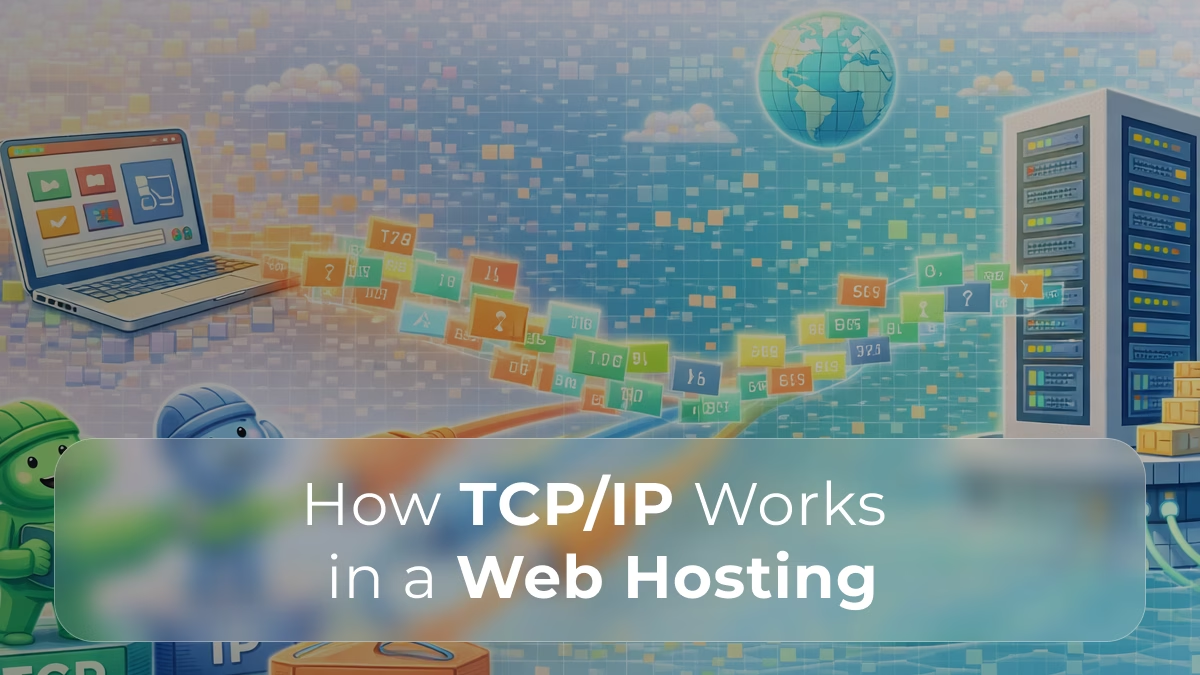
Every time a user visits a website, sends a request, or loads an application, a complex set of communication protocols works behind the scenes to make it happen.
Understanding how data moves is the first step to understanding performance. But how does this impact real-world speed and user experience?
At the core of this process is TCP/IP, the foundational communication model that enables devices to connect, exchange data, and deliver web content reliably.
Understanding how TCP/IP works in web hosting helps clarify how servers communicate with users, how data travels across networks, and why performance and reliability depend heavily on this system.
What Is TCP/IP?
TCP/IP stands for Transmission Control Protocol / Internet Protocol.
It is a suite of communication protocols that defines how data is:
- packaged
- addressed
- transmitted
- routed
- received
across networks, including the internet.
In web hosting, TCP/IP is what allows:
- browsers to request web pages
- servers to respond with data
- applications to communicate across systems
The TCP/IP Model Explained
TCP/IP is typically structured into four layers, each responsible for a specific part of the communication process.
1. Application Layer
This is where user-facing interactions happen.
It includes protocols such as:
- HTTP / HTTPS (web traffic)
- FTP (file transfers)
- SMTP (email delivery)
In web hosting:
- browsers send HTTP requests
- servers respond with web content
2. Transport Layer
This layer ensures reliable communication between devices.
The two main protocols are:
- TCP (Transmission Control Protocol)
- UDP (User Datagram Protocol)
TCP is most relevant for web hosting because it:
- establishes a connection before data transfer
- ensures data arrives in order
- retransmits lost packets
3. Internet Layer
This layer is responsible for addressing and routing data.
It uses IP (Internet Protocol) to:
- assign unique IP addresses
- determine the best path for data
- route packets across networks
4. Network Access Layer
This layer handles the physical transmission of data.
It includes:
- hardware components (network interfaces)
- local network protocols
- data transmission over cables or wireless connections
How TCP/IP Works in a Web Request
When a user visits a website, TCP/IP manages the entire communication process.
Every request handled through TCP/IP contributes to server load, especially under high traffic conditions.
Step-by-step flow:
- DNS Resolution
- The domain name is translated into an IP address
- Connection Establishment (TCP Handshake)
- A connection is established between client and server
- Known as the “three-way handshake”
- Request Sent (HTTP over TCP)
- The browser sends a request to the server
- Data Transmission
- Data is broken into packets
- Packets are sent across the network
- Packet Routing (IP)
- Each packet travels independently
- Routed through multiple network nodes
- Reassembly and Delivery
- Packets are reassembled in order
- Data is delivered to the browser
This entire process happens in milliseconds.
Why TCP/IP Matters in Web Hosting
TCP/IP directly affects how efficiently your server communicates with users.
The efficiency of TCP/IP communication also depends on the type of hosting environment you are using.
Key reasons it matters:
- Reliability
TCP ensures data is delivered accurately and completely - Performance
Efficient packet handling impacts load times and responsiveness - Scalability
Proper network handling supports growing traffic - Global accessibility
IP routing enables communication across worldwide networks
Without TCP/IP, modern web hosting would not function.
TCP vs UDP in Hosting Environments
While TCP is dominant in web hosting, UDP also plays a role in certain scenarios.
TCP (Used for Web Traffic)
- connection-oriented
- reliable and ordered delivery
- error checking and retransmission
Used for:
- websites (HTTP/HTTPS)
- APIs
- secure transactions
UDP (Used for Speed-Critical Tasks)
- connectionless
- faster but less reliable
- no guaranteed delivery
Used for:
- streaming
- gaming
- DNS queries
How TCP/IP Impacts Website Performance
Even though TCP/IP operates in the background, it has a direct impact on performance.
Network behavior directly influences how users experience your website, from load times to responsiveness.
Factors influenced by TCP/IP:
- Latency
Time it takes for data to travel between client and server - Packet loss
Lost packets require retransmission, slowing performance - Throughput
Amount of data transferred over time - Connection overhead
TCP handshakes add slight delays before data transfer
Optimizing these factors improves user experience.
Common Issues Related to TCP/IP
Problems in TCP/IP communication can lead to noticeable performance issues.
Examples include:
- slow page loading
- connection timeouts
- interrupted data transfers
- inconsistent user experience
These issues can be caused by:
- network congestion
- poor routing
- server overload
- high latency connections
How Hosting Infrastructure Affects TCP/IP Performance
The effectiveness of TCP/IP communication depends heavily on your hosting environment.
As your infrastructure evolves, choosing the right server environment becomes critical for maintaining efficient data flow.
Key infrastructure factors:
- Server location
Closer servers reduce latency - Network quality
High-performance networks improve packet delivery - Bandwidth availability
Affects how much data can be transmitted - Server capacity
Impacts how many connections can be handled simultaneously
Best Practices for Optimizing TCP/IP Performance
Improving TCP/IP efficiency involves both network and server-level optimizations.
Common strategies:
- use content delivery networks (CDNs)
- optimize server configuration
- reduce latency with better routing
- monitor network performance
- upgrade hosting infrastructure when needed
- implement load balancing
These practices help ensure faster and more reliable communication.
TCP/IP and Scalability
As your website grows, TCP/IP plays a larger role in handling increased traffic.
At scale, challenges include:
- managing thousands of concurrent connections
- maintaining low latency globally
- avoiding packet loss under load
A scalable infrastructure ensures:
- consistent performance
- reliable connections
- smooth user experience
So…
TCP/IP is the foundation of all internet communication and a critical component of web hosting.
It governs how data moves between users and servers, ensuring that requests are delivered, responses are received, and applications function as expected.
While it operates behind the scenes, its impact is visible in every aspect of performance, from page load speed to connection reliability.
By understanding how TCP/IP works, businesses and developers gain deeper insight into how hosting environments function and what factors influence performance, scalability, and user experience.
As your platform grows, optimizing how data flows across networks becomes just as important as optimizing the application itself.
∞ TCP/IP efficiency depends on more than just network protocols, it depends on the infrastructure behind them.
With Swify’s dedicated servers, you get high-performance networking, low latency, and the reliability needed to handle real-world traffic at scale.
Discover how Swify can power faster, more reliable connections for your applications. ∞
❓FAQ 1 ∞ How does TCP/IP affect website performance?
TCP/IP influences latency, packet delivery, and connection reliability, all of which impact load times and responsiveness.
❓FAQ 2 ∞ What happens when a server cannot handle TCP/IP requests efficiently?
When servers are overloaded, requests are delayed or dropped, leading to slow performance or downtime.
❓FAQ 3 ∞ Can hosting type impact TCP/IP performance?
Yes. Shared environments often introduce variability, while dedicated servers provide more consistent network performance.
❓FAQ 4 ∞ How does TCP/IP relate to server load?
Each connection and data transfer contributes to server load, especially during high traffic periods.
❓FAQ 5 ∞ When should I upgrade my infrastructure to improve network performance?
If latency, packet loss, or slow response times are affecting user experience, it may be time to upgrade.
❓FAQ 6 ∞ Does TCP/IP play a role in scalability?
Yes. Efficient handling of connections and data transfer is critical for scaling applications and handling increased traffic.