
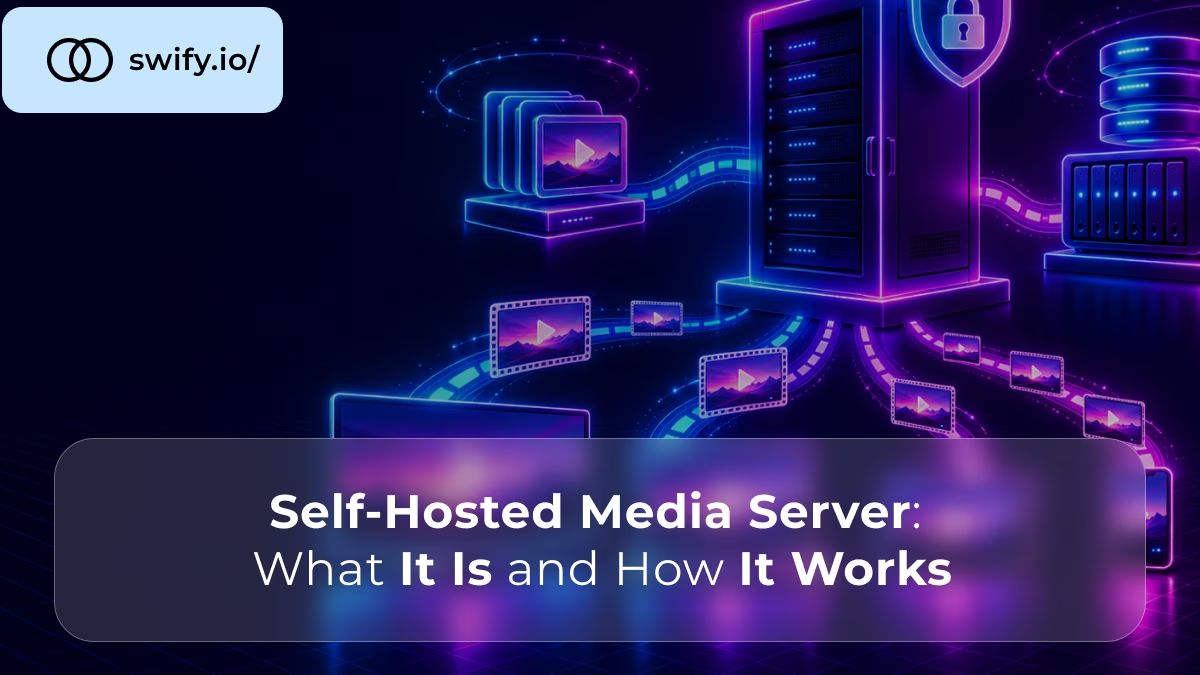
A self-hosted media server is a program on a machine you control. It organises your own movies, shows, music and photos, and streams them to your devices. You keep the files and the library, and you choose where the server sits. As a result, the machine doing the work is yours, and not a streaming company’s.
This guide explains what a self hosted media server is, how it works and which apps you can run. It then covers what the server needs and whether it should live at home or in a data centre. The sources are Wikipedia, Deloitte’s 2026 survey, the Jellyfin documentation and our own arithmetic.
📖 New to video conversion?
Read What Is Video Transcoding? A Complete Beginner’s Guide for why a media server converts video, and what it costs in CPU.
What Is a Self-Hosted Media Server?
A self-hosted media server is a client-server system for your own video, music and photos. Wikipedia describes Plex Media Server, the best known one, as software that organises movies and shows. It adds posters, plot summaries, cast lists and subtitles, and it converts a file when the device cannot play its codec.
The media server runs on your own machine, which is why people call it self-hosting. A streaming service does the same job for its own catalogue, but it decides what is in the library. Here, the library is yours.
A media server is not the same as a file share. A file share only hands over files, while a media server also scans them, finds their details and prepares them for each device.
How Does a Self-Hosted Media Server Work?
A self-hosted media server works in four steps: it scans your folders, adds details to each title, streams the file to an app, and converts it when the app cannot play it. The server does all of this in the background. The apps on your TV, phone and browser only ask for what they want to watch.
What happens between your files and your screen
movies, shows, music
scan, details, convert
network
TV, phone, browser
The server converts a file only when the app cannot play it as it is.
Flow diagram of a self-hosted media server: your files, such as movies, shows and music, go to the media server, which scans them, adds details and converts them, and then sends them over the network to apps on a TV, a phone or a browser.
The conversion step is the costly one. When an app can play the file as it is, the server just sends it. This is called direct play and costs almost no CPU. When it cannot, the server must transcode the video. That task decides how big the server has to be.
Which Self-Hosted Media Server Apps Can You Run?
Four apps cover most needs: Plex, Jellyfin, Emby and Kodi. The first three are servers you install on a machine and reach from other devices. Kodi is a media centre that runs on the device you watch on. They differ mainly in licence and in what they charge for.
The four main apps compared
| App | Licence | What it charges for | Where it came from |
|---|---|---|---|
| Jellyfin | GPLv2 free software | Nothing | A fork of Emby, in 2018 |
| Plex | Proprietary, with a free tier | Plex Pass, for remote streaming and hardware transcoding | A port of XBMC, in 2007 |
| Emby | Proprietary | Emby Premiere, for some features | The Media Browser project |
| Kodi | GPL open source | Nothing | The XBMC media centre |
Table comparing four media apps: Jellyfin is GPLv2 free software that charges for nothing and is a fork of Emby from 2018; Plex is proprietary with a free tier, charges for Plex Pass features such as remote streaming and hardware transcoding, and began as a port of XBMC in 2007; Emby is proprietary, charges for Emby Premiere features and came from the Media Browser project; and Kodi is GPL open source, free, and is the XBMC media centre.
The Jellyfin documentation says it has no premium licences or features. Wikipedia lists Emby as proprietary, and says that streaming with its server is free while some client features need Emby Premiere. Kodi is the project that Plex was originally built from. Plex’s extras sit behind Plex Pass, a paid subscription.
📖 Jellyfin or Plex?
Read Jellyfin vs Plex: Which Media Server Needs the Bigger Server? for the cost, the remote streaming rules and how many streams each plan handles.
How Did Plex, Emby and Jellyfin Split?
They split because of licences: Plex began as a fork of Kodi’s code, and Jellyfin began as a fork of Emby. The dates below come from Wikipedia.
Two forks and one paywall in 17 years
Key dates in the history of the main self-hosted media servers.
Source: Wikipedia, articles on Plex and Jellyfin.
Timeline of key dates for self-hosted media servers: in December 2007 Plex starts as a hobby port of XBMC to Mac OS X; in May 2008 the team forks the XBMC code, which becomes Plex; in November 2018 Plex shuts down Plex Cloud; in December 2018 Jellyfin forks Emby after Emby closes its source; and in April 2025 Plex limits remote streaming to Plex Pass and Remote Watch Pass.
The Plex Cloud episode is a useful lesson. Plex launched it in 2016 as a hosted server. According to Wikipedia, it shut it down in November 2018 because of technical problems and copyright concerns. A server you run yourself does not depend on a vendor keeping a hosted service alive.
Why Do People Run Their Own Media Server?
People run their own media server to keep control of a library they own, and to stop paying for catalogues that come and go. Money is part of it: Deloitte’s fall 2026 survey of 3,518 US consumers found that subscribing households spend $76 a month on streaming video, which is 9% more than a year earlier.
Deloitte’s report also says that the share of people who cancel a service and later resubscribe to the same one rose to 27%, from 23%. Many households are paying, leaving and paying again.
A self-hosted media server does not replace a streaming service for new releases. It holds your own files, and not other people’s catalogues. However, for ripped discs, home videos, concerts and music, it gives you one library for every device, with no price rise and no title that disappears.
What Does a Self-Hosted Media Server Need?
A self-hosted media server needs four things: a machine that stays on, disks for the library, a network port, and a CPU or graphics card if devices need conversion. The disks scale with your library, the port with your viewers, and the CPU or graphics card with how many devices cannot play your files.
Storage is the part people underestimate. At 10 Mbps, one terabyte holds about 222 hours of 1080p video. At the 40 Mbps that Plex’s guidance lists for 4K, it holds only 56 hours.
One terabyte holds 222 hours of 1080p video, but only 44 hours of 4K HDR
Hours of video per terabyte, by bitrate.
1080p, 10 Mbps
4K SDR, 40 Mbps
4K HDR, 50 Mbps
Source: bitrates from Plex’s CPU guidance. Our arithmetic: 8,000,000 megabits per terabyte, divided by the bitrate, divided by 3,600.
Horizontal bar chart of hours of video per terabyte: 222 hours at 1080p and 10 Mbps, 56 hours at 4K SDR and 40 Mbps, and 44 hours at 4K HDR and 50 Mbps.
The bitrate sets the size of every file, so a library of 4K films fills a disk four to five times faster than a 1080p one. For the port, a 1 Gbps connection carries about 100 direct-play streams of 1080p. Our Jellyfin hosting guide turns these numbers into the requirements and the plan.
📖 What does a media server ask of the hardware?
Read Jellyfin Hosting: What It Needs and What to Run It On for the official requirements, the storage maths and the plan to start with.
Where Should You Run a Self-Hosted Media Server?
Run it at home if your viewers are in the same house. Run it in a data centre if they are elsewhere or you want it always on. A home machine costs little to start, but your internet upload speed limits every viewer outside the house.
Self-Hosted Media Server at Home or on a Dedicated Server: What Changes?
Four things change: the upload speed, who keeps the machine running, how video is converted and what it costs.
Home server or dedicated server
| At home | On a dedicated server | |
|---|---|---|
| Upload speed | Set by your internet plan | A 1 Gbps unmetered port |
| Always on | Your hardware, your power, your noise | A data centre, nothing at home |
| Hardware transcoding | Possible with a suitable graphics chip | Standard plans have none, a GPU is quoted on request |
| Cost | The machine, the disks and the power | A monthly fee, from €120 |
| Plex remote streaming | Needs a pass outside your home network | Always needs a pass, as every stream is remote |
Table comparing a home media server with one on a dedicated server: upload speed is set by your internet plan at home and is a 1 Gbps unmetered port on a dedicated server; at home you supply the hardware, power and noise, while a data centre keeps it always on; hardware transcoding is possible at home with a suitable graphics chip, while standard dedicated plans have none and a GPU is quoted on request; the cost is the machine, disks and power at home and a monthly fee from 120 euros on a dedicated server; and Plex remote streaming needs a pass outside the home network, and always needs one on a dedicated server because every stream is remote.
How Does a Dedicated Server Change Remote Streaming?
On a dedicated server, every viewer streams over the data centre’s port, so your home upload speed no longer matters.
A 100 Mbps home upload serves 10 remote 1080p streams, and a 1 Gbps port serves 100
Direct-play streams of 1080p at 10 Mbps, by upload speed.
Home upload, 20 Mbps
Home upload, 50 Mbps
Home upload, 100 Mbps
Dedicated server, 1 Gbps
Our arithmetic: upload speed divided by 10 Mbps, per Plex’s guidance for 1080p. The home speeds are examples. Real ceilings are lower.
Horizontal bar chart of remote direct-play streams of 1080p at 10 Mbps by upload speed: 2 streams at a 20 Mbps home upload, 5 streams at 50 Mbps, 10 streams at 100 Mbps, and 100 streams on a dedicated server with a 1 Gbps port.
Our streaming guide has the bandwidth maths behind that.
What Can You Put in Your Library?
Only media you own or have the right to share. Wikipedia notes that Plex has often been associated with copyright infringement, and the software itself is legal in every case.
How Do You Start With a Self-Hosted Media Server?
Pick an app, pick a machine, install it and add your folders. The first choice is the one that matters, because it sets what you pay for later.
- Choose the app. Jellyfin if you want free software, and Plex if you already use its apps.
- Choose the machine. A spare computer at home, or a dedicated server for remote viewers.
- Install it. On Debian or Ubuntu, the app’s official repository is the usual way.
- Add your folders and the apps. Point the server at your media, then sign in from your TV and phone.
The first scan takes the longest, because the server looks up the details of every title. After that, new files appear on their own.
📖 Other apps you can run yourself
Read Self-Hosted Cloud Storage: What It Is and How It Works for the same idea applied to your files.
Is a Self-Hosted Media Server Right for You?
It is right if you own a library and want it on every device. It is a weaker fit if you mostly watch new releases. The table sorts the common cases.
When a self-hosted media server fits
| Your situation | Fit | Why |
|---|---|---|
| You own ripped discs, home videos or music | Strong | The server was built for exactly this |
| You want one library on every device | Strong | Apps on TVs, phones and browsers share it |
| You mostly watch new releases | Weaker | The server holds your files, not new catalogues |
| You do not want to update or back up anything | Weaker | You look after the server yourself |
| A few viewers, all at home | A home PC | A dedicated server adds little |
Table of when a self-hosted media server fits: owning ripped discs, home videos or music is a strong fit because the server was built for it; wanting one library on every device is a strong fit because apps on TVs, phones and browsers share it; mostly watching new releases is a weaker fit because the server holds your files and not new catalogues; not wanting to update or back up anything is a weaker fit because you look after the server yourself; and a few viewers all at home points to a home PC, because a dedicated server adds little.
Self-Hosted Media Server: The Short Version
A self-hosted media server is your own streaming service for your own library, run on a machine you control. It scans your files, adds their details and streams them to any device, converting video only when it has to.
- The app decides the cost: Jellyfin is free, and Plex charges for remote streaming and hardware transcoding.
- The storage decides the disks: 222 hours of 1080p video per terabyte.
- The viewers decide the machine: a home PC for the house, a dedicated server for everyone else.
Run Your Media Server on a Dedicated Server
Swify dedicated servers start at €120 a month, with full root access, 1 Gbps unmetered bandwidth and your choice of Debian or Ubuntu. Hosted in the Netherlands on AMS-IX, with GDPR by default, monthly billing and no long contracts.
→ Explore Swify Dedicated ServersFrequently Asked Questions
What is a self-hosted media server?
A self-hosted media server is software on a machine you control that organises your own movies, shows, music and photos and streams them to your devices. You keep the files, and the server adds posters, descriptions and subtitles.
How does a self-hosted media server work?
It scans your folders, adds details to each title and streams the file to an app on your TV, phone or browser. If the app cannot play the file, the server converts it on the fly, which is called transcoding.
What is the best self-hosted media server?
It depends on what you value. Jellyfin is free software with no paid tier, Plex has the apps many people already use but charges for remote streaming, and Emby is a proprietary alternative with a paid Premiere tier.
Read Jellyfin vs Plex: Which Media Server Needs the Bigger Server? for the full comparison.
Is a self-hosted media server free?
The software can be: Jellyfin and Kodi are free, and Plex and Emby have free tiers. You still pay for the machine, the disks and the power, or for a monthly server fee, and Plex charges for remote streaming.
Do I need a powerful server for a media server?
Not for direct play, which costs almost no CPU. Transcoding is what needs power, and Plex’s rule is about 2,000 PassMark points of CPU for each 1080p stream that must be converted.
Read Video Transcoding Server: CPU, GPU, and What to Check Before You Rent for how to size it.
Can I run a media server on a dedicated server?
Yes. A dedicated server gives you the whole CPU and a 1 Gbps port, so viewers outside your home are not limited by your internet upload speed. Both Jellyfin and Plex run on Linux.
Read Jellyfin Hosting: What It Needs and What to Run It On for the requirements and the plan to start with.
Is a self-hosted media server legal?
The software is legal. What you put in it must be media you own or have the right to share, because Wikipedia notes that Plex has often been associated with copyright infringement.
What is the difference between a media server and a NAS?
A NAS stores files and shares them on your network, while a media server also scans them, adds their details and converts them for each device. Many NAS devices can run a media server as an app.
Read Self-Hosted Cloud Storage: What It Is and How It Works for the file-sharing side.
Can I watch my own media server away from home?
Yes, through the app, over the internet. Jellyfin has no fee for it, but you set up HTTPS yourself. Plex has required a Plex Pass or a Remote Watch Pass for remote streaming since April 2025.
Read Jellyfin vs Plex: Which Media Server Needs the Bigger Server? for the cost and the remote streaming rules.