
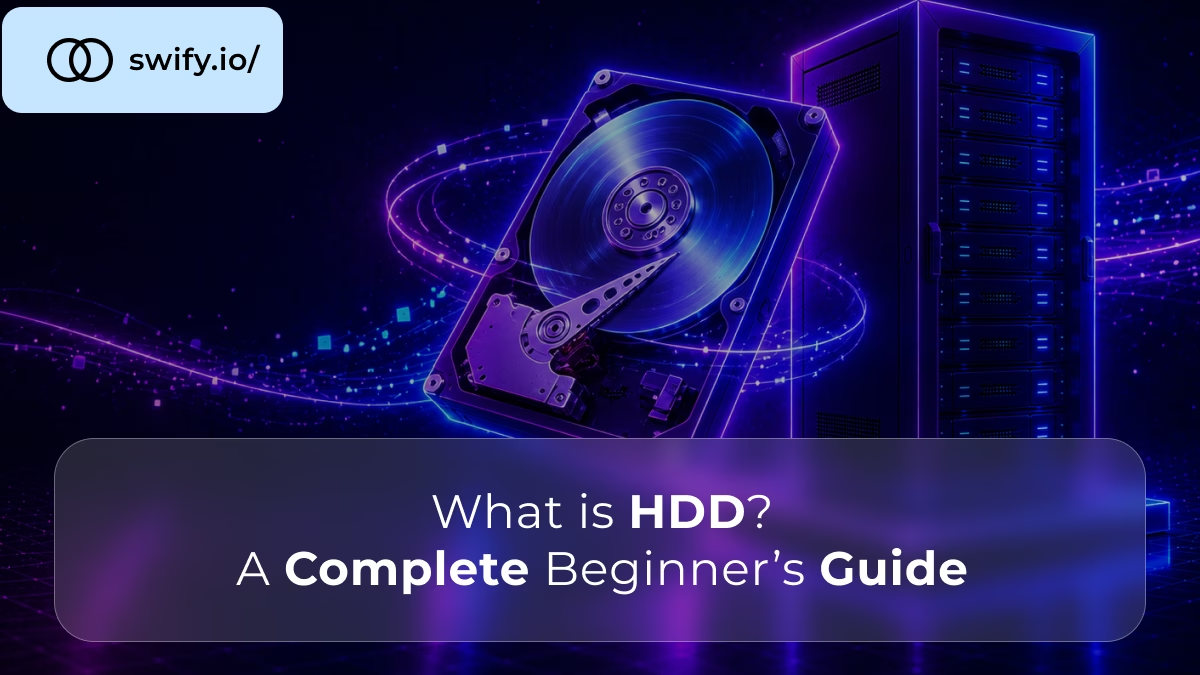
HDD stands for hard disk drive, a data storage device that has been in continuous use since IBM introduced the first commercial version in 1956. Nearly seven decades later, despite the rise of solid-state alternatives, HDDs still store a significant share of the world’s data, because the question was never whether HDDs are obsolete, it is which specific jobs they still do better than anything else.
This guide explains what an HDD actually is, how it physically works, which specifications actually matter when you’re evaluating one, and where it still makes sense today, including in server environments.
📖 Already know you need a server, and want the full hardware picture?
Read Dedicated Server Specifications: A Complete Buyer’s Guide for how storage fits alongside CPU and RAM in a full configuration decision.
How an HDD Actually Works
An HDD stores data on rapidly spinning magnetic platters, circular disks coated with a magnetic material. A read/write head, mounted on a moving actuator arm, hovers just above the platter surface and translates data into magnetic patterns as the platter spins beneath it.
Inside an HDD
Platter (spinning disk) + actuator arm with read/write head
Simplified diagram of an HDD showing a circular spinning platter with a read/write head mounted on an actuator arm positioned near its edge.
This mechanical process, spinning a physical disk and physically moving a head to the correct location, is the defining characteristic of an HDD, and it is also the source of every meaningful limitation the technology has compared to solid-state storage. Because data retrieval depends on physical movement, an HDD is inherently slower at randomly accessing scattered data than a drive with no moving parts.
Despite this, an HDD is non-volatile: it retains stored data indefinitely with no power applied, exactly like a solid-state drive, and unlike system memory (RAM), which loses everything the instant power is cut.
HDD Specifications That Actually Matter
What the numbers on a spec sheet actually mean
| Spec | What it means | Why it matters |
|---|---|---|
| RPM | Platter rotation speed (5,400-15,000) | Higher RPM means faster data access |
| Capacity | Total storage, up to 20+ TB currently | Determines how much data fits on one drive |
| Cache | Onboard memory buffer | Smooths out repeated or sequential reads |
| Interface | SATA (consumer) or SAS (enterprise) | Determines compatibility and server-grade features |
Table explaining four key HDD specifications, RPM, capacity, cache, and interface type, and why each one matters when evaluating a drive.
According to the Storage Networking Industry Association, HDDs remain a foundational component of modern storage infrastructure specifically because they offer high capacity at a low cost per terabyte, and continue to serve as the capacity tier beneath analytics platforms, AI pipelines, and cloud services in tiered storage architectures, even as faster technologies handle the workloads that need speed more than raw space.
RAID configurations also apply to HDDs, mirroring or striping multiple drives together for redundancy or combined capacity, a concept that matters more once HDDs move from a single desktop drive into a server storage array.
Where HDDs Still Make Sense Today
The honest answer is that HDDs remain the right choice specifically where capacity per euro matters more than speed, and where the data being stored isn’t accessed constantly.
Backup and archival storage is the clearest case: data you need to keep but rarely access benefits from an HDD’s low cost per terabyte far more than it needs an SSD’s speed. Bulk media storage, large video libraries or datasets accessed sequentially rather than randomly, plays to an HDD’s actual strength, since sequential read performance doesn’t suffer the same way random access does. Cold data tiers in larger infrastructure, the deliberate practice of keeping frequently-used data on fast storage and rarely-used data on cheaper HDD storage, is standard architecture in serious data infrastructure, not a compromise.
What HDDs are no longer the right choice for: an operating system drive, a database that needs fast random access, or anything where the mechanical latency of a spinning platter becomes a bottleneck a user or application actually feels.
📖 Deciding between HDD and SSD for a server specifically?
Read HDD vs SSD for Servers: Which Do You Actually Need? for the direct comparison, workload by workload.
The Right Storage, Configured for Your Workload
Swify dedicated servers offer both enterprise SSD and NVMe storage options, configured to match what your specific workload actually needs, not a one-size-fits-all default.
→ Explore Swify Dedicated ServersFrequently Asked Questions
What is HDD and what does it stand for?
HDD stands for hard disk drive, a data storage device that stores digital information magnetically on spinning platters, using a moving read/write head to access data. It is non-volatile, meaning it retains stored data even with no power applied, and has been in continuous use since IBM introduced the first commercial hard disk drive in 1956.
Is HDD storage still relevant, or has SSD replaced it completely?
HDD storage remains genuinely relevant, specifically for backup, archival, and bulk data storage where capacity per euro matters more than access speed. It has not been replaced so much as it has been pushed into the specific roles it still performs better, high-capacity, cost-effective storage for data that isn’t accessed constantly.
Read HDD vs SSD for Servers: Which Do You Actually Need? for a direct, workload-by-workload comparison.
What is the difference between HDD and SSD?
An HDD stores data on spinning magnetic platters using a mechanical read/write head, while an SSD stores data in flash memory chips with no moving parts. This makes SSDs substantially faster, particularly for random data access, while HDDs remain more cost-effective per terabyte of capacity.
Read How NVMe Boosts Dedicated Server Performance for how the fastest current storage tier compares.
Does RPM actually matter when choosing an HDD?
Yes, directly. RPM determines how fast the platters spin, which directly affects how quickly data can be accessed. Consumer drives typically run at 5,400 or 7,200 RPM, while enterprise-grade drives can reach 10,000 or 15,000 RPM for meaningfully faster access, at a higher cost and typically lower capacity per drive.
Can HDDs be used in a RAID configuration on a server?
Yes, HDDs are commonly used in RAID arrays on servers, particularly for bulk or backup storage where combining multiple drives adds redundancy or capacity. RAID 1 mirrors data across drives for redundancy, while other RAID levels combine drives for capacity or throughput, depending on what the storage array needs to prioritise.
Read What Is RAID and Why It Matters for Dedicated Servers for the complete breakdown.
Should I choose HDD or SSD storage for a dedicated server?
It depends on the workload. For an operating system, active databases, or anything requiring fast random access, SSD or NVMe storage is the right choice. For backup, archival, or bulk storage where cost per terabyte matters more than speed, HDD remains a genuinely sound option, and many production servers use both, SSD for active workloads and HDD for bulk storage, in the same machine. Read HDD vs SSD for Servers: Which Do You Actually Need? for the full decision framework.