
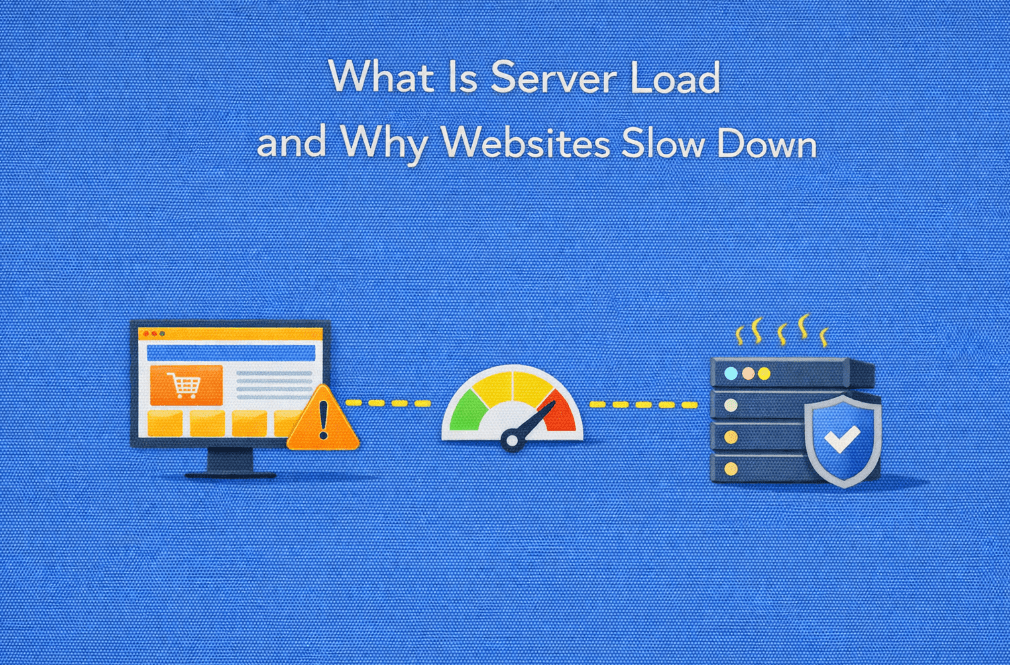
Server load is often the first visible symptom of deeper infrastructure limitations.
Understanding how different hosting environments handle load is essential as websites scale.
:: What Is a Dedicated Server? ::
Website speed is one of the most critical factors influencing user experience, search engine rankings, and conversion rates. When pages load slowly or become unresponsive, the issue is often described simply as “high server load.”
But what does server load actually mean, and why does it cause websites to slow down?
This article explains what server load is, how it affects website performance, and the most common reasons websites experience slowdowns as traffic and complexity increase.
What Is Server Load?
Server load refers to the amount of work a server is handling at a given time. It reflects how many processes are actively competing for the server’s resources.
Server load is influenced by:
- CPU usage
- Memory consumption
- Disk input/output operations
- Network activity
- The number of concurrent requests
When load exceeds the server’s ability to process requests efficiently, performance degradation occurs.
Understanding Load Average
On Linux-based servers, server load is commonly represented as load average values, such as:
- 1-minute average
- 5-minute average
- 15-minute average
These numbers indicate how many processes are waiting for CPU time or I/O resources.
As a general guideline:
- Load close to the number of CPU cores is usually manageable
- Load consistently higher than available cores suggests congestion
- Rapid spikes may indicate traffic bursts or inefficient processes
Load average is not inherently bad, sustained high load without adequate resources is the real issue.
Why High Server Load Slows Down Websites
When a server becomes overloaded, it must queue incoming requests. This causes delays at multiple levels.
Persistent performance issues are rarely caused by a single metric.
How your infrastructure handles CPU, memory, and I/O under load plays a critical role in long-term stability.
:: Why Dedicated Servers Deliver Superior Performance Compared to Shared Hosting ::
CPU Saturation
When CPU resources are fully utilized:
- Application logic executes more slowly
- Requests wait longer to be processed
- Dynamic pages take longer to generate
This is common in:
- PHP or Node.js applications
- Heavy backend logic
- Poorly optimized code
Memory Pressure
Insufficient available memory leads to:
- Cache eviction
- Increased disk usage (swap)
- Slower database and application performance
Once a server starts swapping memory to disk, response times degrade rapidly.
Disk I/O Bottlenecks
Websites depend heavily on disk operations for:
- Database queries
- File access
- Logging and session storage
High disk latency causes:
- Slow database responses
- Delayed page rendering
- Increased request timeouts
This is especially noticeable on shared or underpowered storage systems.
Database Overload
Databases often become the first bottleneck as websites grow.
Common issues include:
- Unindexed queries
- High write activity
- Concurrent transactions
- Lock contention
When the database slows down, the entire website follows.
Network Constraints
Even with sufficient CPU and memory, limited network capacity can cause:
- Slow asset delivery
- Delayed API responses
- Connection timeouts
This is particularly impactful during traffic spikes or DDoS events.
Common Causes of High Server Load
Server load usually increases due to a combination of factors rather than a single issue.
Typical causes include:
- Traffic growth beyond server capacity
- Sudden traffic spikes from campaigns or promotions
- Inefficient application code
- Lack of caching mechanisms
- Heavy background jobs or cron tasks
- Shared hosting resource contention
In many cases, the infrastructure simply no longer matches the workload.
Why Server Load Becomes a Business Problem
Slow websites affect more than just performance metrics.
High server load can lead to:
- Higher bounce rates
- Lower conversion rates
- Poor search engine rankings
- Reduced customer trust
- Lost revenue during peak periods
For e-commerce and SaaS platforms, even small delays can have measurable financial impact.
How Server Load Is Monitored
Understanding server load requires continuous monitoring.
Common monitoring metrics include:
- CPU utilization and load average
- Memory usage and swap activity
- Disk I/O latency and throughput
- Request response times
- Error rates
Monitoring tools help identify patterns, detect anomalies, and plan capacity upgrades before problems occur.
When Server Load Indicates a Hosting Limitation
If performance issues persist despite optimization, it may indicate that the hosting environment itself is the limiting factor.
Warning signs include:
- Performance degradation during traffic peaks
- Inconsistent response times
- Resource throttling without warning
- Limited control over server configuration
At this stage, upgrading infrastructure often becomes more effective than further optimization.
When optimization no longer delivers results, the hosting model itself becomes the limiting factor.
Comparing infrastructure options helps identify where scalability and predictability start to break down.
:: Hosting Comparisons ::
So…
Server load is a fundamental concept behind website performance. It represents how much demand is placed on a server and how well that server can respond. As websites grow in traffic, complexity, and functionality, managing server load becomes increasingly important.Understanding why websites slow down, and how server resources are consumed, helps businesses make informed decisions about optimization, scaling, and infrastructure upgrades.
By aligning server capacity with workload demands, websites can remain fast, reliable, and responsive even as they grow.
High server load should never be the reason your website slows down or loses customers.
At Swify, dedicated servers are built to deliver predictable performance, full resource control, and scalability without compromise.
❓ FAQ 1
Is high server load always a problem?
Not necessarily. Short-term load spikes during traffic peaks or background processing are normal. The problem arises when high load is sustained and exceeds available CPU, memory, or I/O capacity, leading to slower response times and instability.
❓ FAQ 2
How is server load different on shared hosting vs dedicated servers?
On shared hosting, server load is affected by all users on the same machine, making performance unpredictable. Dedicated servers isolate resources, ensuring that load is generated only by your workloads, resulting in consistent and measurable performance.
❓ FAQ 3
Can server load impact SEO rankings?
Yes. High server load often leads to slower page load times and timeouts, both of which negatively affect user experience and search engine rankings. Performance stability is a key factor in technical SEO.
❓ FAQ 4
When should I upgrade hosting because of server load?
If slowdowns persist despite code optimization, caching, and monitoring improvements, especially during predictable traffic peaks, it usually indicates that the current hosting environment no longer matches workload demands.
❓ FAQ 5
How do dedicated servers help manage high traffic and load spikes?
Dedicated servers provide guaranteed CPU, memory, and disk I/O, allowing websites to absorb traffic spikes without resource contention. This ensures stable performance during promotions, campaigns, and peak usage periods.