
Most hosting conversations eventually involve a term that is used frequently but explained rarely: virtualization. You encounter it when comparing VPS to dedicated servers, when reading about cloud infrastructure, and when evaluating hosting plans that promise “virtualised environments” or “isolated containers.”
Understanding what virtualization actually is, not just the marketing description, but the technical mechanism, gives you a clearer framework for every infrastructure decision that follows. It explains why a VPS behaves differently from a dedicated server, why cloud instances can be provisioned in seconds, and why certain workloads benefit from physical isolation rather than virtual separation.
This guide explains server virtualization from the ground up: what it is, how it works, what it enables, and where its limitations matter.
📖 How does virtualization compare to a dedicated server?
Understanding virtualization helps clarify the VPS vs dedicated server decision. Read Dedicated Server vs VPS: Which One Do You Actually Need?, a practical comparison of the two infrastructure models.
What Server Virtualization Is
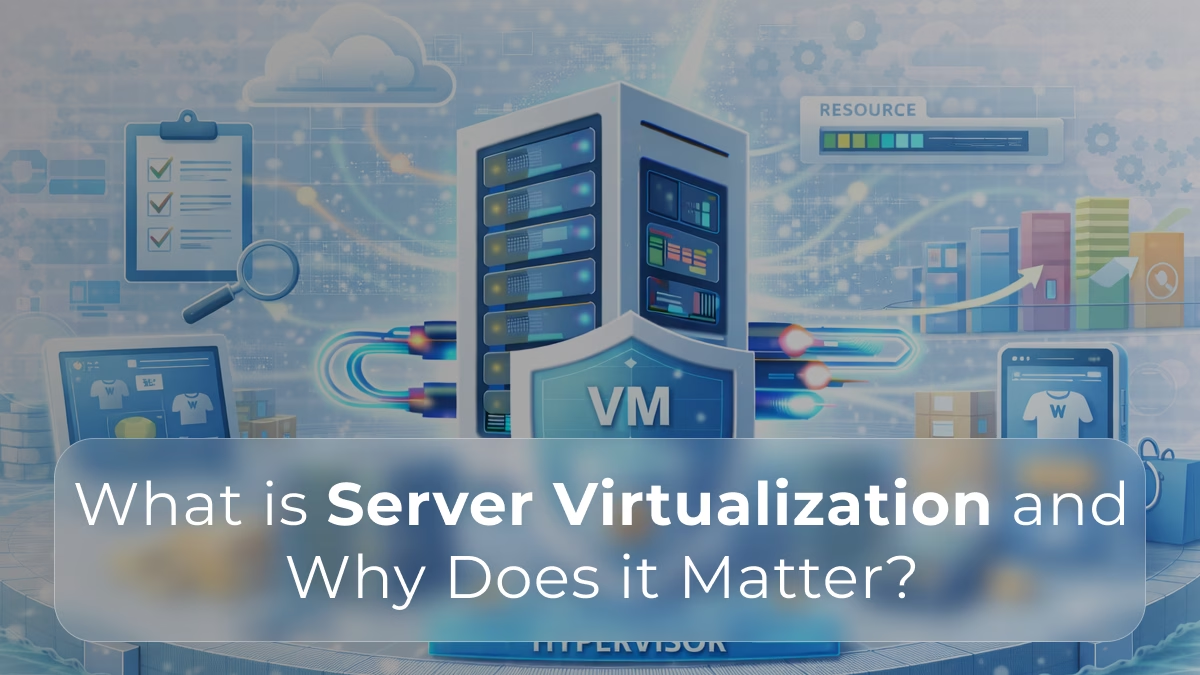
Server virtualization is the process of running multiple independent operating system instances on a single physical server simultaneously. Each instance, called a virtual machine, or VM, behaves as though it were a separate physical computer. It has its own CPU allocation, its own memory, its own storage, and its own network interface. Software running inside the VM cannot tell the difference between a virtual environment and a real one.
The mechanism that makes this possible is called a hypervisor. The hypervisor sits between the physical hardware and the virtual machines running on it. It manages which VM gets CPU time at any given moment, allocates memory to each VM, routes storage and network I/O, and enforces the boundaries between VMs so that one cannot access the resources or data of another.
From the perspective of the physical server, it is running one programme: the hypervisor. From the perspective of each VM, it is the only thing running on a dedicated machine.
How the Hypervisor Works
The hypervisor is the critical component of any virtualised environment, and its architecture determines the performance and isolation characteristics of the VMs running on top of it.
Type 1 Hypervisors – Bare Metal
A Type 1 hypervisor runs directly on the physical hardware, without a host operating system underneath it. It is the first software layer on the machine. The hypervisor itself manages hardware access and provides the virtualisation layer to which VMs connect.
VMware ESXi, Microsoft Hyper-V, and the Linux KVM (Kernel-based Virtual Machine) are Type 1 hypervisors. KVM is particularly relevant because it is the hypervisor used by most cloud providers and VPS hosting platforms.
Type 1 hypervisors offer lower overhead and better performance than Type 2, because there is no host operating system consuming resources between the hypervisor and the hardware.
Type 2 Hypervisors – Hosted
A Type 2 hypervisor runs on top of a host operating system, like any other application. VirtualBox and VMware Workstation are Type 2 hypervisors. They are used primarily for development, testing, and local environments, not for production server infrastructure.
The host operating system between the hypervisor and the hardware introduces additional overhead and reduces isolation compared to Type 1.
Resource Allocation and Scheduling
The hypervisor allocates physical CPU cores, RAM, and storage to each VM according to its configuration. CPU scheduling determines when each VM gets to execute its instructions on the physical CPU. Memory allocation determines how much RAM each VM can access.
Overcommitment is a common practice in virtualised environments: allocating more total vCPU or RAM to VMs than the physical hardware actually has. This works because VMs rarely all use their full allocation simultaneously, but it introduces performance variability, when multiple VMs do demand their full allocation at the same time, they compete for the physical resources that were shared between them.
📖 Why does resource contention affect performance?
Overcommitment on shared hardware creates the noisy neighbour effect. Read Understanding Server Load: How Dedicated Servers Handle High Traffic, and understand how resource isolation changes the performance equation.
Why Virtualisation Was Developed
Before virtualisation became practical, most servers ran a single operating system and a single application. A web server ran one web application. A database server ran one database. A mail server ran one mail service.
This approach was reliable but wasteful. Most servers ran at a fraction of their hardware capacity most of the time. A server handling moderate web traffic might use 10% of its CPU and 20% of its RAM on an average day. The remaining 80 to 90% sat idle, consuming power, occupying rack space, and requiring maintenance, while delivering nothing.
Data centres in the early 2000s were filled with physically separate servers, each underutilised, each requiring its own hardware lifecycle management. The operational cost was substantial.
Virtualisation addressed this by allowing multiple workloads to share the same physical hardware. Consolidation, running ten or twenty virtual servers on a single physical machine, dramatically improved hardware utilisation, reduced the number of physical machines required, lowered energy consumption, and simplified management.
This is the original and still primary value proposition of virtualisation: turning one physical server into many logical ones, and using the hardware capacity that would otherwise be idle.
What Virtualisation Enables
Hardware Consolidation
Multiple VMs can run on a single physical server, each consuming a portion of the available CPU, RAM, and storage. A physical server with 64 cores and 512GB of RAM can host dozens of VMs, each with the appearance and behaviour of a dedicated machine.
This consolidation reduces the total number of physical servers required to support a given workload portfolio, which reduces hardware costs, energy consumption, cooling requirements, and physical space.
Rapid Provisioning
A physical server takes days to weeks to procure, rack, and configure. A virtual machine takes minutes to create. The hypervisor instantiates a new VM from a template, allocates resources, and the VM is ready to use.
This speed of provisioning is the foundation of cloud computing: the ability to create, resize, and destroy compute instances on demand is only possible because those instances are virtual rather than physical.
Snapshots and Live Migration
VMs can be snapshotted, a complete copy of the VM’s state at a specific moment — allowing rollback to a known good state if an update goes wrong. This is significantly easier than recovering a physical server from a bad update.
VMs can also be migrated between physical hosts while running, with minimal or no interruption to the services they host. This enables maintenance of physical hardware without downtime for the virtual workloads running on it.
Development and Testing Isolation
Development teams use VMs to create isolated environments that match production configurations without requiring dedicated physical hardware. A developer can spin up a VM that mirrors the production server, test a change, and destroy the VM when done, without affecting production.
The Performance Characteristics of Virtualisation
Virtualisation adds a layer of abstraction between software and hardware. This abstraction has a performance cost, though modern hypervisors minimise it significantly.
CPU Overhead
Modern CPUs include hardware virtualisation extensions, Intel VT-x and AMD-V, that allow VMs to execute most instructions directly on the physical CPU without hypervisor intervention. The overhead for CPU-intensive workloads on well-configured virtualised infrastructure is typically small, often in the low single-digit percentage range.
Memory Performance
Memory allocation in virtualised environments can involve additional translation layers, physical memory addresses are mapped through a virtual address space maintained by the hypervisor. Modern hardware and hypervisors handle this efficiently for most workloads, but memory-intensive applications on overcommitted hosts can experience latency from memory pressure.
Storage I/O
Storage is where virtualisation overhead is most commonly felt. I/O requests from a VM travel through the hypervisor’s virtualised storage layer before reaching the physical drive. This adds latency compared to direct hardware access. The magnitude of this overhead depends significantly on the hypervisor’s storage implementation, the physical storage hardware, and whether the storage is local or networked.
NVMe storage, with its very low base latency, reduces the proportional impact of virtualisation storage overhead compared to SATA SSDs or spinning drives.
The Noisy Neighbour Effect
The most significant performance consideration in shared virtualised environments is resource contention between VMs on the same physical host. When multiple VMs simultaneously demand CPU, memory, or storage I/O, they compete for the shared physical resources. A VM consuming more than its share degrades performance for other VMs on the same host.
Cloud providers and VPS hosts manage this through resource limits and scheduling, but contention remains a structural property of shared virtualisation. A VM on a busy host performs differently from the same VM on a lightly loaded host, and the guest has no visibility into or control over what other tenants are doing.
📖 How does storage performance differ between virtual and dedicated environments?
Storage virtualisation overhead is most visible in I/O-intensive workloads. Read How NVMe Storage Boosts Dedicated Server Performance, and understand why storage architecture matters regardless of whether the environment is virtualised or physical.
Virtualisation and Security
Virtualisation creates logical isolation between VMs on the same physical host, but this isolation is software-enforced rather than physical. This distinction has security implications worth understanding.
Hypervisor Vulnerabilities
The hypervisor is a privileged piece of software with access to all VMs on a host. A vulnerability in the hypervisor could potentially allow one VM to access resources or data belonging to another VM on the same host, a class of attacks known as VM escape.
VM escape vulnerabilities are rare and actively patched, but they represent a category of risk that does not exist in a physical dedicated environment, where there is no shared hypervisor between machines.
Side-Channel Attacks
Shared hardware introduces the possibility of side-channel attacks, techniques that extract information by observing shared hardware behaviour rather than directly accessing data. Cache timing attacks are the most studied example: by observing how long it takes to access specific memory locations, an attacker can potentially infer information about what other processes are doing on the same CPU.
Physical isolation on a dedicated server eliminates these attack vectors because there is no shared hardware between tenants.
Isolation as a Compliance Consideration
For environments subject to compliance frameworks: PCI-DSS, GDPR, HIPAA, the type of isolation matters. Physical isolation is demonstrable and auditable in a way that software-enforced isolation is not. Compliance auditors increasingly ask specifically whether shared hardware is involved in cardholder data or personal data processing environments.
Virtualisation vs Dedicated Servers: Where the Boundary Is
Virtualisation and dedicated servers are not competing technologies in all cases, they often coexist. A business might run a dedicated server that hosts a private virtualisation platform for internal workloads, while also running workloads on physical dedicated hardware where performance or isolation requirements preclude virtualisation.
The key question is whether the workload’s requirements are compatible with the properties of a virtualised environment.
Virtualisation is appropriate when workloads are variable or unpredictable, rapid provisioning of additional capacity matters more than peak performance, cost efficiency through consolidation is the primary infrastructure priority, or the workload is development, testing, or non-production.
Dedicated hardware is appropriate when workload performance is sensitive to the contention and overhead that shared virtualised environments introduce, compliance requirements demand demonstrable physical isolation, storage I/O requirements are high and consistent, or the total cost of dedicated hardware over time compares favourably to virtualised alternatives at scale.
📖 Is a dedicated server or cloud the right choice for your business?
The virtualisation vs physical decision maps directly onto the cloud vs dedicated server question. Read Dedicated Server vs Cloud Hosting: Which Is Right for Your Business in 2026? for the complete comparison.
Physical infrastructure where virtualisation is not the answer
Swify dedicated servers give you exclusive physical hardware, no hypervisor overhead, no shared resources, no noisy neighbours. For workloads that need the performance and isolation that virtualisation cannot provide, this is the foundation.
→ Explore Swify Dedicated ServersFrequently Asked Questions
What is the difference between server virtualization and cloud hosting?
Server virtualization is the technology; cloud hosting is a service built on top of it. Cloud hosting platforms use virtualisation to create on-demand compute instances, you are renting a virtual machine on shared physical hardware managed by the cloud provider.
The defining characteristic of cloud hosting is the service model: pay-as-you-go pricing, instant provisioning, and managed infrastructure. The defining characteristic of virtualisation is the technical mechanism: a hypervisor dividing physical hardware into virtual machines.
You can also run your own private virtualisation platform on dedicated hardware — this is common for enterprises that want the flexibility of virtualisation with the performance and isolation of physical infrastructure. Read the full comparison in Dedicated Server vs Cloud Hosting: Which Is Right for Your Business in 2026?
Does virtualisation reduce performance compared to a dedicated server?
Yes, to varying degrees depending on the workload and how the virtualised environment is configured. Modern hypervisors with hardware virtualisation support minimise CPU overhead to a few percent for most workloads. Memory performance is similarly close to bare metal in well-configured environments.
Storage I/O is where virtualisation overhead is most commonly felt, the virtualisation layer adds latency to disk operations that compounds under heavy I/O load. The noisy neighbour effect, performance degradation from other VMs competing for shared physical resources, is the most practically significant difference between virtualised and dedicated infrastructure.
For workloads that are I/O-intensive, latency-sensitive, or require consistent performance under load, dedicated hardware removes both the virtualisation overhead and the resource contention. Read more in Dedicated Server vs VPS: Which One Do You Actually Need?
Why do dedicated servers often run virtualisation platforms?
Dedicated servers and virtualisation are not mutually exclusive. Many businesses run a private virtualisation platform, using KVM or VMware, on dedicated hardware to get the benefits of both: the flexibility and rapid provisioning of virtualisation, with the performance and isolation of physical hardware exclusively theirs.
In this configuration, the dedicated server is the virtualisation host. The VMs running on it benefit from the full physical capacity of the hardware, with no other organisation’s workloads competing for resources. This avoids the noisy neighbour effect entirely while retaining the operational flexibility of virtualisation.
This approach is common for SaaS companies, managed service providers, and enterprises that need to run multiple isolated workloads without relying on a public cloud provider. Read more in Dedicated Server for SaaS: How to Build Infrastructure That Scales With Your Product.
Is server virtualisation secure for production workloads?
Yes, with appropriate configuration and an understanding of its specific security properties. Virtualisation provides logical isolation between VMs, each VM operates independently, cannot access the memory of other VMs, and has its own network interface. For the vast majority of production workloads, this isolation is sufficient.
The security considerations specific to virtualisation include hypervisor vulnerabilities, a compromised hypervisor could theoretically affect all VMs on a host, and side-channel attacks that exploit shared hardware. These are mitigated by keeping hypervisor software updated and by choosing providers with strong security practices.
For compliance-driven environments subject to PCI-DSS, GDPR, or HIPAA, physical isolation on a dedicated server provides a more straightforward and auditable security posture than software-enforced VM isolation. Read more in Why Isolated Infrastructure Reduces Cybersecurity Risks.
What is the difference between a VPS and a virtual machine?
A virtual machine is the technical object — a software-emulated computer running on a hypervisor. A VPS (Virtual Private Server) is a hosting product, a virtual machine sold as a hosting service, typically with a specific resource allocation, a management interface, and a monthly price.
In practical terms, when you purchase a VPS, you are getting a virtual machine on a physical server shared with other VPS customers. The provider manages the hypervisor and the physical hardware; you manage the VM itself. The resource allocation you purchase is a share of the physical host’s CPU, RAM, and storage.
A dedicated server, by contrast, gives you the entire physical machine, no sharing, no hypervisor between you and the hardware (unless you install one yourself). Read the detailed comparison in Dedicated Server vs VPS: Which One Do You Actually Need?
When should a business move away from virtualised hosting?
The clearest signals are consistent performance problems that cannot be resolved through application optimisation, compliance requirements that mandate physical isolation, and cost analysis that shows dedicated hardware is more economical at the current scale of usage.
Performance problems on virtualised infrastructure often manifest as unpredictable latency spikes, storage I/O bottlenecks during peak periods, and response time variability that correlates with other tenants’ activity rather than your own workload. These are structural properties of shared virtualised environments that cannot be resolved by configuring the VM differently.
For businesses at this point, a dedicated server removes the shared hardware entirely. Read the practical decision guide in When Should You Upgrade to a Dedicated Server?