
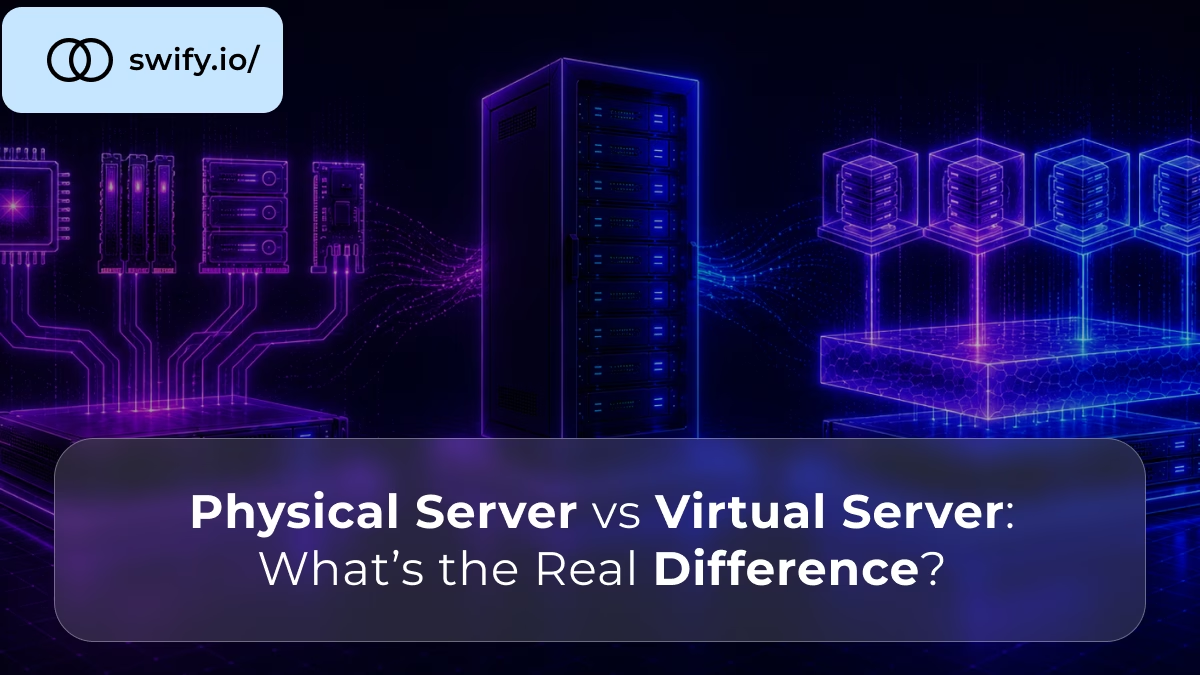
bare metal servers versus virtualization servers - whats the real difference

Bare Metal Servers vs Virtualized Servers: What’s the Real Difference?

The distinction between bare metal and virtualised servers is one of the most fundamental in hosting infrastructure, and one of the most frequently misunderstood. The two models are often presented as simply different price points on the same spectrum. In reality, they are architecturally different approaches to delivering computing resources, with genuinely different performance characteristics, security implications, and use case profiles.

This guide explains what each model is, how it works at a technical level, where the differences are most meaningful in practice, and how to decide which one is right for your workload.

📖 New to dedicated server infrastructure?

Before comparing bare metal and virtualised servers, read What Is a Dedicated Server?, a complete introduction to how dedicated infrastructure works and how it differs from shared and cloud hosting environments.


What Is a Bare Metal Server?

A bare metal server is a physical machine, real hardware with a CPU, RAM, storage drives, and a network interface, allocated entirely to one customer. There is no virtualisation layer between the hardware and the operating system running on it. Your OS runs directly on the physical components. Your applications run directly on that OS.

The term “bare metal” emphasises the absence of abstraction. You are working with the hardware itself, without any software layer mediating between your workload and the physical resources it uses.

When you rent a bare metal server, you receive exclusive access to a specific physical machine. No other customer’s workload runs on that machine. No other customer’s processes share that CPU, RAM, storage, or network interface. The hardware is entirely and exclusively yours for the duration of your tenancy.


What Is a Virtualised Server?

A virtualised server, commonly called a VPS (Virtual Private Server) or virtual machine (VM), is a software-defined environment running on top of a physical machine that is shared among multiple customers.

Virtualisation works through a software layer called a hypervisor. The hypervisor runs directly on the physical hardware and creates multiple isolated virtual machines, each with its own allocated CPU cores, RAM, storage, and network resources. From inside each VM, the environment appears to be a dedicated machine, it has its own OS, its own file system, and its own network configuration.

However, all of these VMs share the same underlying physical hardware. The hypervisor divides and manages that shared hardware, allocating resources to each VM according to its configuration and the host’s available capacity.

The two dominant hypervisor technologies in modern hosting are KVM (Kernel-based Virtual Machine) on Linux, used by the majority of cloud and VPS providers, and VMware ESXi, used primarily in enterprise virtualisation environments.

📖 How does server virtualisation actually work?

Read What Is Server Virtualization and Why Does It Matter?, a detailed explanation of how hypervisors work, how VMs are isolated, and why virtualisation became the foundation of cloud computing.


The Architecture Difference – Why It Matters

The presence or absence of a hypervisor is not merely a technical detail. It has concrete consequences for performance, security, and operational control.

The Hypervisor Overhead

A hypervisor consumes resources. It requires CPU cycles to manage VM scheduling, RAM to store its own state and VM metadata, and introduces a software layer that all I/O operations pass through. This overhead is modest on modern hardware, typically 2–5% of raw CPU performance, but it is non-zero and, more importantly, it introduces variability.

On bare metal, a CPU instruction executes in a predictable number of cycles. On a virtualised server, the same instruction may execute in slightly more cycles because the hypervisor’s scheduling layer is involved. Furthermore, virtualised storage I/O passes through additional abstraction layers that introduce latency not present on bare metal.

For most workloads, this overhead is not the primary performance concern. However, for latency-sensitive applications — financial trading systems, real-time gaming, high-frequency API endpoints, the difference between hypervisor-mediated and native hardware access is measurable and meaningful.

Shared Physical Resources

Beyond hypervisor overhead, the shared physical hardware introduces a structural performance risk called the noisy neighbour effect.

On a virtualised host, multiple VMs share the same physical CPU, the same RAM bus, the same storage controller, and the same network interface. When another tenant on the same host runs an intensive workload, a database migration, a batch processing job, a traffic spike, it consumes physical resources that affect all VMs on that host.

The hypervisor guarantees each VM its allocated resources on paper. In practice, shared physical components: CPU cache, memory bandwidth, storage I/O queues, and network buffers, create contention that affects performance for all tenants, regardless of what their allocated specifications say.

Bare metal eliminates this entirely. There are no other tenants. No other workload competes for the physical resources. Your CPU cache, your memory bus, your storage controller, all exclusively yours.

📖 How does resource contention affect performance under load?

Read Understanding Server Load: How Dedicated Servers Handle High Traffic, a practical breakdown of how the noisy neighbour effect manifests and why physical hardware isolation changes performance outcomes under concurrent load.


Performance – The Detailed Comparison

CPU Performance

On bare metal, your applications have direct access to the physical CPU. Instructions execute natively. CPU scheduling is managed entirely by your OS kernel. There is no translation layer, no VM exit overhead, and no sharing of the CPU cache with other tenants.

On a virtualised server, CPU access is mediated by the hypervisor. Modern virtualisation technologies, hardware-assisted virtualisation via Intel VT-x and AMD-V, have made this overhead very small. However, CPU cache sharing with co-located VMs remains a structural limitation that bare metal does not have.

Storage I/O Performance

Storage performance differences between bare metal and virtualised servers are often more significant than CPU differences, particularly for database workloads.

On bare metal, the OS communicates directly with the storage controller. NVMe drives deliver their full rated IOPS and throughput directly to your applications. On a virtualised server, storage I/O passes through the hypervisor’s storage abstraction layer, which introduces additional latency for each operation. Furthermore, multiple VMs on the same host share the physical storage controller’s I/O bandwidth and queue depth.

For a high-transaction database where disk I/O determines query response times, this difference is directly measurable in application performance metrics.

Network Performance

Similarly, network throughput on virtualised servers passes through a virtual network interface managed by the hypervisor, adding a small overhead to each packet. On bare metal, the OS communicates directly with the physical NIC. For bandwidth-intensive workloads: media streaming, large file delivery, high-frequency API responses, this directness translates to lower latency and more consistent throughput.

📖 How does NVMe storage performance differ on bare metal vs virtualised environments?

Read How NVMe Storage Boosts Dedicated Server Performance, a detailed breakdown of how storage technology and infrastructure model interact to determine real-world I/O performance.


Security – Physical vs Logical Isolation

Security is the dimension where the architectural difference between bare metal and virtualised servers has the most significant practical implications.

Physical Isolation on Bare Metal

On a bare metal server, no other tenant’s processes run on your hardware. There is no shared CPU cache, no shared memory bus, and no hypervisor layer. This physical isolation eliminates several categories of attack that are structurally possible in virtualised environments.

Side-channel attacks, most notably Spectre and Meltdown, exploit shared CPU cache and branch prediction structures to extract data from co-located processes. These attacks are a structural risk of shared hardware environments. On bare metal, there are no co-located tenants to attack from, and no shared hardware components through which such attacks can be executed.

Logical Isolation on Virtualised Servers

On a virtualised server, isolation is provided by the hypervisor software. Each VM is isolated from others at the software level, one VM cannot directly access another VM’s memory or processes under normal operation.

However, this isolation is software-enforced, not hardware-enforced. Hypervisor vulnerabilities, rare but real, can in theory allow one VM to escape its isolation and access another’s data. The history of virtualisation security includes a small but significant number of such vulnerabilities, demonstrating that logical isolation is not equivalent to physical isolation for the most security-sensitive workloads.

Compliance Implications

For workloads subject to compliance frameworks: PCI-DSS for payment processing, GDPR for personal data of EU residents, SOC 2 for enterprise SaaS, physical isolation on bare metal provides a cleaner compliance posture. Enterprise security questionnaires frequently ask about infrastructure isolation. The answer “physically isolated dedicated hardware” is structurally stronger than “logically isolated virtual machine on shared hardware.”

📖 How does physical isolation reduce cybersecurity risk?

Read Why Isolated Infrastructure Reduces Cybersecurity Risks, a detailed explanation of how physical hardware separation eliminates the cross-tenant attack surface that exists in all virtualised environments.


Scalability – Where Virtualisation Has a Genuine Advantage

Virtualised infrastructure has one structural advantage that bare metal genuinely cannot match: instant elasticity.

On a virtualised platform, adding more RAM or CPU to a VM is often a software operation that takes seconds or minutes. Spinning up an additional VM takes minutes. Auto-scaling, automatically adding instances in response to traffic increases, is a native capability of virtualised and cloud platforms.

On bare metal, scaling requires provisioning additional physical hardware. This takes hours to days depending on the provider. It cannot be automated in response to real-time traffic changes.

For workloads with highly variable or unpredictable traffic, this scalability advantage of virtualisation is genuinely valuable. A platform that experiences 10x traffic spikes on an unpredictable schedule cannot easily provision bare metal headroom for those spikes cost-effectively.

However, for workloads with stable, predictable resource requirements, this scalability advantage is less relevant. A SaaS product with steady growth, an e-commerce platform with seasonal patterns that can be planned for, or a gaming platform with predictable peak hours can provision bare metal with appropriate headroom without the need for instant elasticity.


Cost – The Full Picture

Bare metal servers appear more expensive than virtualised servers at the entry point. This is true. However, cost comparisons in infrastructure are rarely as simple as comparing monthly prices.

The Cost-Per-Performance Comparison

A virtualised server’s performance is always lower than the equivalent bare metal hardware, the hypervisor overhead and shared resource contention mean you get less performance per hardware unit. Therefore, to achieve equivalent application performance, a virtualised environment often requires more resources than a bare metal equivalent.

The Egress and Hidden Cost Comparison

Cloud and virtualised platforms frequently charge additional costs beyond compute: egress fees for data leaving the platform, storage separately from compute, managed service premiums for databases and caching, and support tier fees. These accumulate quickly at scale.

Bare metal pricing is typically all-inclusive — a fixed monthly fee for hardware, connectivity, and bandwidth allocation. As workloads grow, this predictability becomes a financial advantage.

When Virtualised Servers Are More Cost-Effective

For small workloads that do not require full hardware utilisation, a VPS is more cost-effective. Paying for a full dedicated server when you are using 10% of its capacity wastes money. Virtualisation allows hardware resources to be divided and priced accordingly.

The economics typically shift in favour of bare metal when workloads grow to require consistent, high utilisation of the available hardware, when egress costs on cloud platforms become material, or when compliance requirements mandate physical isolation.

📖 How do dedicated server costs compare to cloud at scale?

Read Dedicated Server vs AWS: Full Cost Breakdown, a detailed comparison of real infrastructure costs across both models, including egress fees and managed service premiums that compound at scale.


Head-to-Head Comparison

XBare MetalVirtualised Server (VPS/VM)
HardwareExclusive physical machineShared physical machine
HypervisorNoneYes, adds overhead
PerformanceNative hardware speedSlightly reduced by virtualisation
Resource contentionNone, all resources yoursPossible noisy neighbour effect
Physical isolationCompleteNo, shared hardware
Logical isolationCompleteYes, enforced by hypervisor
ScalabilityRequires hardware changesInstant resource scaling
Configuration controlComplete root accessFull OS access within VM limits
Cost structureFixed, predictable monthly feeVariable, may include hidden charges
ComplianceStrongest posture – physical isolationAcceptable for many, not all frameworks
Best forHigh-traffic, compliance-sensitive, latency-critical workloadsFlexible, variable, or moderate workloads

Which Should You Choose?

The decision between bare metal and virtualised servers comes down to three questions.

Does your workload require consistent, predictable performance? If performance variability, from noisy neighbours or hypervisor overhead, is unacceptable for your application, bare metal is the appropriate choice. Databases, real-time applications, financial systems, and high-traffic production workloads fall into this category.

Does your workload require physical isolation for security or compliance? If your compliance framework asks about infrastructure isolation, or if your application handles sensitive data that benefits from physical security separation, bare metal provides the clearest answer.

Is your workload variable and unpredictable, or stable and well-understood? Variable workloads that need instant elasticity are better served by virtualised infrastructure. Stable workloads with predictable resource requirements are better served by bare metal.

📖 Bare metal vs VPS – the full scenario-based comparison

Read Dedicated Server vs VPS: Which One Do You Actually Need?, a practical guide with concrete scenarios to help you decide which infrastructure model fits your workload at each stage of growth.

Run Your Workload on True Bare Metal

Swify’s dedicated servers give you physical hardware with no hypervisor, no shared tenancy, and no noisy neighbours, NVMe storage, European datacenters, and transparent pricing.

→ Explore Swify Dedicated Server Plans


Frequently Asked Questions

FAQ 1 :: Is a bare metal server the same as a dedicated server?

Yes, in most practical contexts, bare metal server and dedicated server are interchangeable terms. Both refer to a physical machine allocated entirely to one customer with no hypervisor or shared tenancy. “Bare metal” emphasises the absence of a virtualisation layer; “dedicated server” emphasises the exclusive hardware allocation. Providers use both terms for the same infrastructure model. Read What Is a Bare Metal Server? Everything You Need to Know for a complete explanation of bare metal infrastructure.


FAQ 2 :: What is the performance difference between bare metal and a VPS?

Bare metal delivers native hardware performance with no hypervisor overhead. A VPS incurs a small performance reduction from the virtualisation layer, typically 2–5% for CPU-bound workloads, and a more significant impact on storage I/O latency due to the hypervisor’s storage abstraction. Furthermore, VPS environments are subject to the noisy neighbour effect, where other tenants on the same physical host can degrade performance. For latency-sensitive applications, these differences are measurable and meaningful. Read Dedicated Server vs VPS: Which One Do You Actually Need? for a full performance comparison.


FAQ 3 :: Is bare metal more secure than a virtualised server?

For isolation-sensitive workloads, yes. Bare metal provides physical isolation, no other tenant’s processes run on your hardware, eliminating cross-tenant attack surfaces including side-channel vulnerabilities like Spectre and Meltdown. Virtualised servers provide logical isolation enforced by the hypervisor, which is robust but software-dependent. For compliance frameworks like PCI-DSS, GDPR, and SOC 2, physical isolation on bare metal provides a stronger and cleaner compliance posture. Read Dedicated Server Security Checklist: How to Harden Your Server After Setup for the baseline security configuration that bare metal infrastructure enables.


FAQ 4 :: Can you run virtual machines on a bare metal server?

Yes. A bare metal server gives you full root access and complete control over the software stack, which means you can install a hypervisor and run virtual machines on top of it if your workload requires it. This is common for businesses that need to run multiple isolated environments, development, staging, and production, on a single physical machine while maintaining the performance and isolation benefits of dedicated hardware. The key difference is that you control the hypervisor environment rather than sharing a provider-managed virtualisation platform with other customers.


FAQ 5 :: When does a virtualised server make more sense than bare metal?

Virtualised servers are the better choice when instant scalability is required, when workloads are small and do not need full hardware utilisation, when traffic is highly variable and unpredictable, or when infrastructure is in early development and requirements are not yet stable. The cost-per-resource advantage of VPS environments is real at low scale. As workloads grow and hardware utilisation increases, the economics typically shift in favour of bare metal. Read When Should You Upgrade to a Dedicated Server? for a complete set of signals that indicate when the transition from virtualised to bare metal infrastructure makes sense.


FAQ 6 :: What is the noisy neighbour problem in virtualised hosting?

The noisy neighbour problem occurs when other tenants on the same physical host in a virtualised environment consume excessive CPU, storage I/O, or network bandwidth, causing your VM’s performance to degrade even though your own usage has not changed. This is a structural property of all shared infrastructure, the hypervisor guarantees your resource allocation on paper, but physical components like CPU cache, memory bandwidth, and storage queues are still shared. Bare metal eliminates this problem entirely because no other tenant shares your hardware. Read Understanding Server Load: How Dedicated Servers Handle High Traffic for a detailed explanation of how resource isolation affects performance stability.